Progressive Web Apps (PWAs)
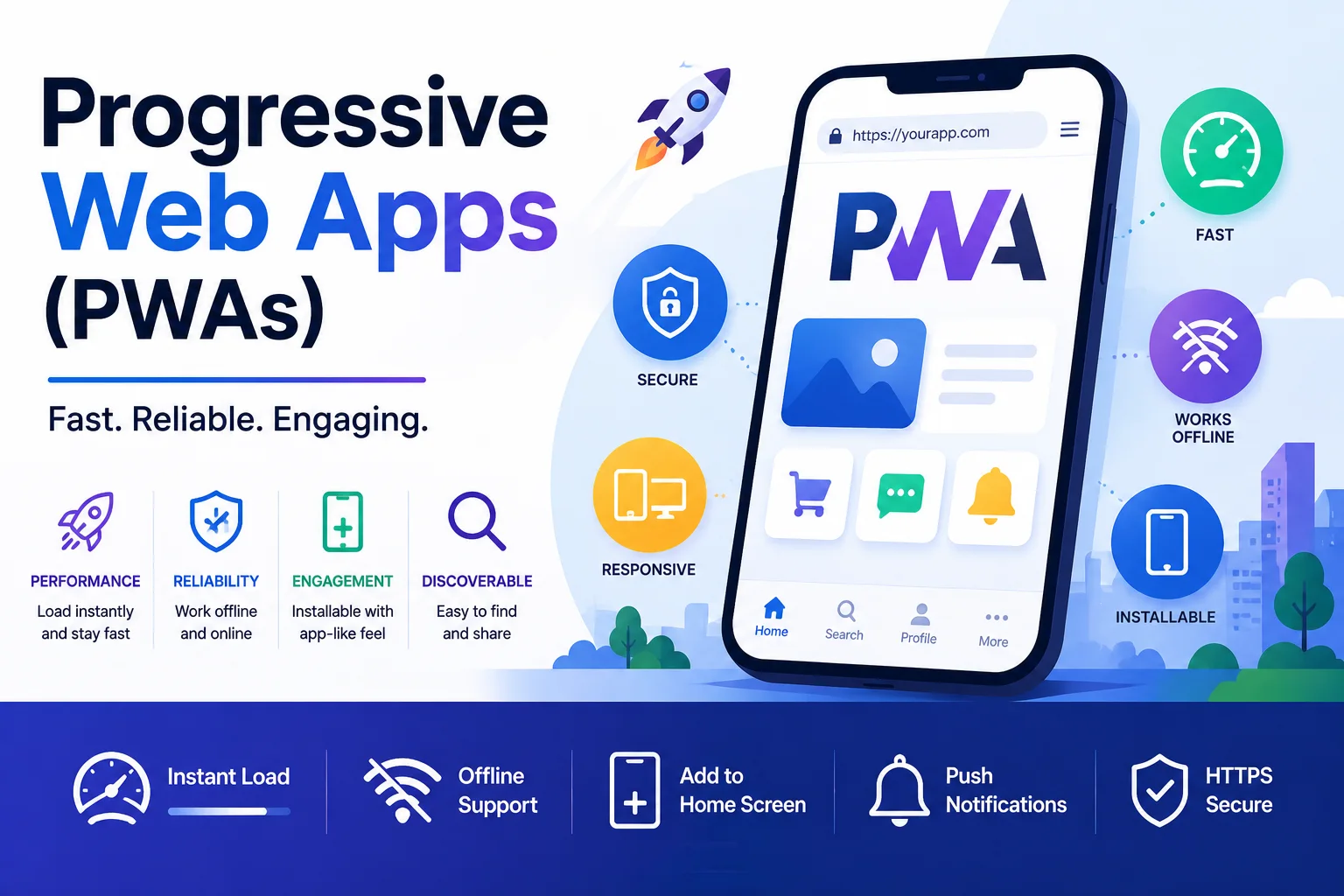
A Progressive Web App (PWA) is a web application that uses modern browser capabilities to deliver an app-like experience. PWAs are reliable, fast, and engaging — combining the reach of the web with the capabilities of native mobile applications.
Introduction
A Progressive Web App (PWA) is a web application that uses modern browser capabilities to deliver an app-like experience. PWAs are reliable, fast, and engaging — combining the reach of the web with the capabilities of native mobile applications.
PWAs solve a fundamental tension: users want the instant availability of the web (no install, linkable, always up-to-date) but expect the performance and features of native apps (offline support, push notifications, home screen presence). PWAs deliver both.
Core Characteristics
The term "Progressive Web App" was coined by Google's Alex Russell and Frances Berriman in 2015. A PWA must satisfy these 10 characteristics:
| # | Principle | Why It Matters |
|---|---|---|
| 1 | Progressive — Works for everyone | Graceful degradation on older browsers |
| 2 | Responsive — Fits any screen | Desktop, tablet, mobile |
| 3 | Connectivity independent — Works offline | Service worker caching |
| 4 | App-like — Native app feel | Shell architecture, smooth navigation |
| 5 | Fresh — Always up-to-date | Service worker update lifecycle |
| 6 | Safe — Served over HTTPS | Prevents tampering, required for service workers |
| 7 | Discoverable — SEO-friendly | Search engines index PWAs |
| 8 | Re-engageable — Push notifications | Re-engage users like native apps |
| 9 | Installable — Add to home screen | Web app manifest |
| 10 | Linkable — Share via URL | No app store required |
The Three Pillars of PWA
1. Service Worker — The Engine
A service worker is a JavaScript file that runs in the background, separate from the web page. It acts as a programmable network proxy, intercepting requests and enabling offline functionality, push notifications, and background sync.
Service Worker Lifecycle
Installing → Installed → Activating → Activated → Idle → Terminated
                 │                                        │
                 └─── (new version detected) ──────────────┘
                 └─── Waiting (until all tabs close) ─────┘
// service-worker.js
const CACHE_NAME = 'my-pwa-v2';
const ASSETS_TO_CACHE = [
  '/',
  '/index.html',
  '/styles.css',
  '/app.js',
  '/offline.html',
  '/icons/icon-192.png'
];

// Install event — cache static assets
self.addEventListener('install', event => {
  event.waitUntil(
    caches.open(CACHE_NAME).then(cache => {
      console.log('Caching app shell');
      return cache.addAll(ASSETS_TO_CACHE);
    })
  );
  // Force new service worker to activate immediately
  self.skipWaiting();
});

// Activate event — clean old caches
self.addEventListener('activate', event => {
  event.waitUntil(
    caches.keys().then(cacheNames => {
      return Promise.all(
        cacheNames
          .filter(name => name !== CACHE_NAME)
          .map(name => caches.delete(name))
      );
    })
  );
  // Take control of all open pages immediately
  clients.claim();
});

// Fetch event — intercept network requests
self.addEventListener('fetch', event => {
  event.respondWith(
    caches.match(event.request).then(cachedResponse => {
      // Return cached response if available
      if (cachedResponse) {
        return cachedResponse;
      }

      // Otherwise fetch from network
      return fetch(event.request).then(networkResponse => {
        // Don't cache non-GET or error responses
        if (!event.request.url.includes('/api/')) {
          return networkResponse;
        }

        // Cache API responses for offline use
        const responseClone = networkResponse.clone();
        caches.open(CACHE_NAME).then(cache => {
          cache.put(event.request, responseClone);
        });

        return networkResponse;
      }).catch(() => {
        // Network failed — return offline fallback
        if (event.request.mode === 'navigate') {
          return caches.match('/offline.html');
        }
        return new Response('Offline', { status: 503 });
      });
    })
  );
});
Caching Strategies
| Strategy | Description | Use Case |
|---|---|---|
| Cache First | Check cache, fall back to network | Static assets (CSS, JS, images) |
| Network First | Try network, fall back to cache | API calls, dynamic content |
| Stale While Revalidate | Return cache, update in background | News feeds, blog posts |
| Network Only | Always fetch from network | Sensitive data (banking) |
| Cache Only | Never fetch from network | App shell |
// Stale-while-revalidate strategy
self.addEventListener('fetch', event => {
  event.respondWith(
    caches.match(event.request).then(cachedResponse => {
      const fetchPromise = fetch(event.request).then(networkResponse => {
        caches.open(CACHE_NAME).then(cache => {
          cache.put(event.request, networkResponse.clone());
        });
        return networkResponse;
      }).catch(() => cachedResponse);

      return cachedResponse || fetchPromise;
    })
  );
});
2. Web App Manifest — The Identity
The manifest is a JSON file that controls how the PWA appears when installed:
{
  "name": "My Progressive Web App",
  "short_name": "MyPWA",
  "description": "An amazing PWA that works offline",
  "start_url": "/?source=pwa",
  "display": "standalone",
  "background_color": "#ffffff",
  "theme_color": "#3367D6",
  "orientation": "portrait-primary",
  "scope": "/",
  "icons": [
    {
      "src": "/icons/icon-192.png",
      "sizes": "192x192",
      "type": "image/png",
      "purpose": "any maskable"
    },
    {
      "src": "/icons/icon-512.png",
      "sizes": "512x512",
      "type": "image/png",
      "purpose": "any maskable"
    }
  ],
  "categories": ["productivity", "utilities"],
  "lang": "en-US",
  "dir": "ltr",
  "prefer_related_applications": false
}
Manifest properties explained:
display: standalone— Opens without browser UI (address bar, tabs).display: fullscreen— Full screen, no browser chrome at all.display: minimal-ui— Minimal browser controls.scope: "/"— Which URLs are part of the PWA.start_url— The page that opens when the PWA is launched.- Maskable icons — Adaptive icons that work with OS-level masking (rounded, squircle, etc.).
3. HTTPS — The Foundation
Service workers require a secure context. HTTPS is mandatory for:
- Service worker registration.
- Push notifications.
- The install prompt (beforeunload event).
# Redirect HTTP to HTTPS
# Nginx
server {
    listen 80;
    server_name example.com;
    return 301 https://$server_name$request_uri;
}
Building a PWA — Step by Step
1. Create the App Shell
The app shell is the minimal HTML, CSS, and JavaScript required to render the user interface. It is cached on first load and serves as the PWA's foundation.
<!-- index.html -->
<!DOCTYPE html>
<html lang="en">
<head>
  <meta charset="UTF-8">
  <meta name="viewport" content="width=device-width, initial-scale=1.0">
  <meta name="theme-color" content="#3367D6">
  <link rel="manifest" href="/manifest.json">
  <link rel="icon" href="/icons/icon-192.png" sizes="192x192">
  <link rel="apple-touch-icon" href="/icons/icon-192.png">
  <title>My PWA</title>
  <link rel="stylesheet" href="/styles.css">
</head>
<body>
  <header id="app-header">My PWA</header>
  <main id="app-content"></main>
  <footer id="app-footer">© 2026</footer>

  <!-- Register service worker -->
  <script>
    if ('serviceWorker' in navigator) {
      window.addEventListener('load', () => {
        navigator.serviceWorker.register('/service-worker.js')
          .then(reg => console.log('SW registered:', reg.scope))
          .catch(err => console.error('SW registration failed:', err));
      });
    }
  </script>
  <script src="/app.js"></script>
</body>
</html>
2. Implement Offline Support
// app.js — Fetch content with offline support
const CACHE_KEY = 'content-cache';

async function loadContent(url) {
  try {
    const response = await fetch(url);
    const data = await response.json();

    // Cache for offline
    const cache = await caches.open(CACHE_KEY);
    cache.put(url, new Response(JSON.stringify(data)));

    renderContent(data);
  } catch (error) {
    // Offline — load from cache
    const cached = await caches.match(url);
    if (cached) {
      const data = await cached.json();
      renderContent(data);
      showOfflineIndicator();
    } else {
      showOfflineMessage();
    }
  }
}
3. Add Push Notifications
// Request permission
async function requestNotificationPermission() {
  const permission = await Notification.requestPermission();
  if (permission === 'granted') {
    // Get push subscription
    const registration = await navigator.serviceWorker.ready;
    const subscription = await registration.pushManager.subscribe({
      userVisibleOnly: true,
      applicationServerKey: urlBase64ToUint8Array(publicKey)
    });

    // Send subscription to server
    await fetch('/api/push/subscribe', {
      method: 'POST',
      body: JSON.stringify(subscription)
    });
  }
}
// service-worker.js — Handle push events
self.addEventListener('push', event => {
  const data = event.data.json();

  const options = {
    body: data.body,
    icon: '/icons/icon-192.png',
    badge: '/icons/badge-72.png',
    vibrate: [100, 50, 100],
    data: { url: data.url },
    actions: [
      { action: 'open', title: 'Open' },
      { action: 'close', title: 'Dismiss' }
    ]
  };

  event.waitUntil(
    self.registration.showNotification(data.title, options)
  );
});

self.addEventListener('notificationclick', event => {
  event.notification.close();

  if (event.action === 'open' || !event.action) {
    clients.openWindow(event.notification.data.url);
  }
});
PWA vs. Native App
| Feature | PWA | Native App |
|---|---|---|
| Distribution | URL (no store required) | App Store, Google Play |
| Install friction | One tap (browser prompt) | Download, install, permissions |
| File size | KB to MB | 10MB to 500MB+ |
| Updates | Instant (service worker) | Via app store review |
| Offline | Yes (service worker) | Yes (built-in) |
| Push notifications | Yes | Yes |
| Device APIs | Camera, GPS, accelerometer, payment | Full access to all device APIs |
| Bluetooth | Web Bluetooth (limited) | Full Bluetooth API |
| Background tasks | Background sync (limited) | Full background execution |
| Performance | Near-native (JavaScript/WebAssembly) | Native (compiled code) |
| SEO | Indexable by search engines | Not indexable |
| Development cost | Single codebase | iOS + Android (or cross-platform) |
| User retention | Lower (easier to leave) | Higher (installed = committed) |
When to Choose PWA Over Native
- Content-focused apps — News, blogs, magazines.
- E-commerce — Shopping sites (Pinterest PWA: 40% more time spent).
- Utility apps — Calculators, converters, weather.
- Low-engagement apps — Apps users visit infrequently.
- Emerging markets — Users with limited storage and data.
- Progressive enhancement — Full experience on modern devices, functional on older ones.
When Native App Is Better
- High-performance gaming — 60+ FPS, complex 3D rendering.
- Deep hardware integration — Bluetooth peripherals, NFC, ARKit/ARCore.
- Background processing — Music streaming, fitness tracking.
- High user engagement needed — Social media, messaging.
Performance Benchmarks
| Metric | Before PWA | After PWA | Improvement |
|---|---|---|---|
| First load | 5s | 1.2s | 76% faster |
| Subsequent loads | 3s | 0.3s | 90% faster |
| Bounce rate | 45% | 20% | 55% reduction |
| Conversion rate | 2% | 3.5% | 75% increase |
| Pages per session | 3 | 5 | 66% increase |
Real-world results:
| Company | Key Metric | Improvement |
|---|---|---|
| Twitter (X) Lite | Tweets sent per session | 75% increase |
| Time spent | 40% increase | |
| Uber | Booking completion | Smooth even on 2G |
| Starbucks | Daily active users | 2x increase |
| Alibaba | Conversion rate | 76% increase |
PWA Testing and Auditing
Lighthouse PWA Audit
# Run Lighthouse from CLI
npx lighthouse https://example.com --view --preset=desktop

# PWA-specific checks:
# - ✅ Registers a service worker
# - ✅ Responds with 200 when offline
# - ✅ Web app manifest exists
# - ✅ Manifest has display: standalone
# - ✅ Served over HTTPS
# - ✅ Redirects HTTP to HTTPS
# - ✅ Configurable start URL
# - ✅ Icons provided (192px and 512px)
Manual Testing Checklist
## PWA Pre-Flight Checklist
- [ ] HTTPS enabled
- [ ] Service worker registered and active
- [ ] Pages load offline (test with airplane mode)
- [ ] Manifest configured with correct icons
- [ ] "Add to Home Screen" prompt appears
- [ ] PWA opens in standalone mode with no address bar
- [ ] Splash screen displays correctly
- [ ] Push notifications work
- [ ] All pages are responsive (mobile, tablet, desktop)
- [ ] Performance budget met (Lighthouse score > 90)
- [ ] Cross-browser tested (Chrome, Firefox, Safari, Edge)
- [ ] Accessibility audit passes
Advanced PWA Features
Background Sync
// Register a sync event
async function scheduleSync() {
  const registration = await navigator.serviceWorker.ready;
  await registration.sync.register('sync-pending-data');
}

// Service worker handles sync
self.addEventListener('sync', event => {
  if (event.tag === 'sync-pending-data') {
    event.waitUntil(syncPendingData());
  }
});
Periodic Background Sync
// Request periodic sync (requires user engagement)
const registration = await navigator.serviceWorker.ready;
await registration.periodicSync.register('update-content', {
  minInterval: 24 * 60 * 60 * 1000 // Once per day
});
Web Share API
// Share content using native share sheet
async function shareContent(title, text, url) {
  if (navigator.share) {
    await navigator.share({ title, text, url });
  } else {
    // Fallback to custom share UI
    copyToClipboard(url);
  }
}
Badging API
// Set app icon badge
if (navigator.setAppBadge) {
  await navigator.setAppBadge(5); // Show "5" on icon
} else if (navigator.clearAppBadge) {
  await navigator.clearAppBadge();
}
Common Pitfalls
| Pitfall | Problem | Solution |
|---|---|---|
| Over-caching | App serves stale content | Version caches, implement cache-first for shell, network-first for content |
| No offline fallback | White screen offline | Always cache /offline.html with a meaningful message |
| Cache-busting failures | Old service worker persists | Use skipWaiting() and clients.claim() |
| Splash screen issues | Wrong theme color or icon | Configure manifest correctly, use maskable icons |
| Safari compatibility | Some features limited (push, periodic sync) | Progressive enhancement — degrade gracefully |
| Large cache size | Storage quota exceeded (50MB per origin) | Prune old caches, limit cache size |
| Missing start_url | Home screen opens wrong page | Always specify start_url in manifest |
Conclusion
Progressive Web Apps represent the best of both worlds — the reach and accessibility of the web combined with the capabilities and user experience of native applications.
When to Build a PWA
- You want maximum reach — One app for all platforms.
- User needs offline access — Service worker caching.
- You want instant loading — App shell architecture.
- You want re-engagement — Push notifications without app store.
- You have a content-driven app — News, e-commerce, utilities.
Getting Started
- Add a manifest.json and icons.
- Create a service worker with offline fallback.
- Run a Lighthouse audit and fix critical issues.
- Test on real devices (Android, iOS, desktop).
- Deploy and measure user engagement.
PWAs are not a replacement for native apps in every scenario — but for most content-driven and utility applications, they provide a superior user experience with a fraction of the development cost.
Featured Articles

The 10 Largest Frontend Performance Challenges in 2026 (And How to Fix Them)
Should I Use React or Next.js? Complete Comparison Guide 2026
Build an Offline-First SaaS with Laravel & React: Complete PWA Tutorial 2026
Comments
0 commentsNo approved comments are visible yet. New community replies may wait for moderation.