Build an Offline-First SaaS with Laravel & React: Complete PWA Tutorial 2026

Building a SaaS with both offline and online capabilities using Laravel + React is a powerful architecture. Here's a comprehensive guide covering the full stack:
Architecture Overview
plain
┌─────────────────────────────────────────────────────────────┐
│                     REACT FRONTEND (PWA)                     │
│  ┌─────────────┐  ┌──────────────┐  ┌─────────────────────┐ │
│  │  UI Layer   │  │  State Mgmt  │  │  Service Worker     │ │
│  │  (React 19) │  │  (Zustand/   │  │  (Workbox)          │ │
│  │             │  │   Redux)     │  │  - Cache static     │ │
│  │             │  │              │  │  - Queue API calls  │ │
│  └─────────────┘  └──────────────┘  └─────────────────────┘ │
│  ┌─────────────┐  ┌──────────────┐  ┌─────────────────────┐ │
│  │ IndexedDB   │  │ Background   │  │ Network Status      │ │
│  │ (Dexie.js)  │  │ Sync Queue   │  │ Detection           │ │
│  └─────────────┘  └──────────────┘  └─────────────────────┘ │
└─────────────────────────────────────────────────────────────┘
                              │
                              ▼
┌─────────────────────────────────────────────────────────────┐
│                     LARAVEL BACKEND                          │
│  ┌─────────────┐  ┌──────────────┐  ┌─────────────────────┐ │
│  │  API (REST/ │  │  Conflict    │  │  Queue (Redis/      │ │
│  │   GraphQL)  │  │  Resolution  │  │   Laravel Queue)    │ │
│  │             │  │  (Last-write │  │                     │ │
│  │             │  │   wins/CRDT) │  │                     │ │
│  └─────────────┘  └──────────────┘  └─────────────────────┘ │
│  ┌─────────────┐  ┌──────────────┐  ┌─────────────────────┐ │
│  │  Auth       │  │  Webhooks    │  │  Real-time Sync     │ │
│  │  (Sanctum/  │  │  (for push   │  │  (Laravel Echo/     │ │
│  │   Passport) │  │   events)    │  │   Reverb/Pusher)    │ │
│  └─────────────┘  └──────────────┘  └─────────────────────┘ │
└─────────────────────────────────────────────────────────────┘
1. React Frontend: Offline-First PWA
Setup with Vite + PWA Plugin
bash
npm create vite@latest my-saas -- --template react-ts
cd my-saas
npm install -D vite-plugin-pwa workbox-window
npm install dexie axios zustand
Vite Config (vite.config.ts)
TypeScript
import { defineConfig } from 'vite'
import react from '@vitejs/plugin-react'
import { VitePWA } from 'vite-plugin-pwa'

export default defineConfig({
  plugins: [
    react(),
    VitePWA({
      registerType: 'autoUpdate',
      includeAssets: ['favicon.ico', 'apple-touch-icon.png', 'mask-icon.svg'],
      manifest: {
        name: 'Your SaaS App',
        short_name: 'SaaS',
        description: 'Offline-capable SaaS application',
        theme_color: '#ffffff',
        background_color: '#ffffff',
        display: 'standalone',
        scope: '/',
        start_url: '/',
        icons: [
          { src: 'pwa-192x192.png', sizes: '192x192', type: 'image/png' },
          { src: 'pwa-512x512.png', sizes: '512x512', type: 'image/png' }
        ]
      },
      workbox: {
        globPatterns: ['**/*.{js,css,html,ico,png,svg,woff,woff2}'],
        runtimeCaching: [
          {
            // API calls - network first with cache fallback
            urlPattern: /\/api\/.*/i,
            handler: 'NetworkFirst',
            options: {
              cacheName: 'api-cache',
              expiration: { maxEntries: 100, maxAgeSeconds: 60 * 60 * 24 },
              networkTimeoutSeconds: 10
            }
          },
          {
            // Static assets - cache first
            urlPattern: /^https:\/\/fonts\.googleapis\.com\/.*/i,
            handler: 'CacheFirst',
            options: {
              cacheName: 'google-fonts-cache',
              expiration: { maxEntries: 10, maxAgeSeconds: 60 * 60 * 24 * 365 }
            }
          }
        ]
      },
      devOptions: { enabled: true }
    })
  ]
})
Service Worker Registration (src/main.tsx)
TypeScript
import { StrictMode } from 'react'
import { createRoot } from 'react-dom/client'
import { registerSW } from 'virtual:pwa-register'
import App from './App'

const updateSW = registerSW({
  onNeedRefresh() {
    if (confirm('New version available. Reload to update?')) {
      updateSW(true)
    }
  },
  onOfflineReady() {
    console.log('App ready to work offline')
  }
})

createRoot(document.getElementById('root')!).render(
  <StrictMode>
    <App />
  </StrictMode>
)
2. Local Database with Dexie.js (IndexedDB)
Dexie.js provides a clean API for IndexedDB, perfect for offline data storage.
TypeScript
// src/db/index.ts
import Dexie, { type EntityTable } from 'dexie'

interface Note {
  id?: number
  localId: string          // UUID generated client-side
  serverId: number | null  // ID from Laravel backend
  title: string
  content: string
  isSynced: boolean
  isDeleted: boolean
  createdAt: Date
  updatedAt: Date
  syncAttempts: number
}

interface SyncQueue {
  id?: number
  localId: string
  action: 'create' | 'update' | 'delete'
  table: string
  payload: string // JSON
  createdAt: Date
  retryCount: number
}

const db = new Dexie('SaaSOfflineDB') as Dexie & {
  notes: EntityTable<Note, 'id'>
  syncQueue: EntityTable<SyncQueue, 'id'>
}

db.version(1).stores({
  notes: '++id, localId, serverId, isSynced, isDeleted, updatedAt',
  syncQueue: '++id, localId, action, createdAt'
})

export { db }
export type { Note, SyncQueue }
3. Zustand Store with Offline Support
TypeScript
// src/store/useNoteStore.ts
import { create } from 'zustand'
import { db, type Note } from '../db'
import { v4 as uuidv4 } from 'uuid'

interface NoteState {
  notes: Note[]
  isOnline: boolean
  isSyncing: boolean
  loadNotes: () => Promise<void>
  addNote: (title: string, content: string) => Promise<void>
  updateNote: (localId: string, data: Partial<Note>) => Promise<void>
  deleteNote: (localId: string) => Promise<void>
  syncWithServer: () => Promise<void>
}

export const useNoteStore = create<NoteState>((set, get) => ({
  notes: [],
  isOnline: navigator.onLine,
  isSyncing: false,

  loadNotes: async () => {
    const notes = await db.notes
      .where('isDeleted')
      .equals(0)
      .reverse()
      .sortBy('updatedAt')
    set({ notes })
  },

  addNote: async (title, content) => {
    const localId = uuidv4()
    const now = new Date()

    const note: Note = {
      localId,
      serverId: null,
      title,
      content,
      isSynced: false,
      isDeleted: false,
      createdAt: now,
      updatedAt: now,
      syncAttempts: 0
    }

    await db.notes.add(note)

    // Add to sync queue
    await db.syncQueue.add({
      localId,
      action: 'create',
      table: 'notes',
      payload: JSON.stringify({ title, content }),
      createdAt: now,
      retryCount: 0
    })

    await get().loadNotes()

    // Try to sync immediately if online
    if (get().isOnline) {
      get().syncWithServer()
    }
  },

  updateNote: async (localId, data) => {
    const now = new Date()
    await db.notes.update(localId, { ...data, isSynced: false, updatedAt: now })

    await db.syncQueue.add({
      localId,
      action: 'update',
      table: 'notes',
      payload: JSON.stringify(data),
      createdAt: now,
      retryCount: 0
    })

    await get().loadNotes()
    if (get().isOnline) get().syncWithServer()
  },

  deleteNote: async (localId) => {
    await db.notes.update(localId, { isDeleted: true, isSynced: false, updatedAt: new Date() })

    await db.syncQueue.add({
      localId,
      action: 'delete',
      table: 'notes',
      payload: JSON.stringify({}),
      createdAt: new Date(),
      retryCount: 0
    })

    await get().loadNotes()
    if (get().isOnline) get().syncWithServer()
  },

  syncWithServer: async () => {
    const { isOnline, isSyncing } = get()
    if (!isOnline || isSyncing) return

    set({ isSyncing: true })

    try {
      const queue = await db.syncQueue.orderBy('createdAt').toArray()

      for (const item of queue) {
        try {
          const note = await db.notes.get({ localId: item.localId })
          if (!note) continue

          let response

          if (item.action === 'create') {
            response = await fetch('/api/notes', {
              method: 'POST',
              headers: {
                'Content-Type': 'application/json',
                'Authorization': `Bearer ${localStorage.getItem('token')}`
              },
              body: JSON.stringify({
                local_id: item.localId,
                title: note.title,
                content: note.content
              })
            })
          } else if (item.action === 'update' && note.serverId) {
            response = await fetch(`/api/notes/${note.serverId}`, {
              method: 'PUT',
              headers: {
                'Content-Type': 'application/json',
                'Authorization': `Bearer ${localStorage.getItem('token')}`
              },
              body: JSON.stringify({
                title: note.title,
                content: note.content,
                updated_at: note.updatedAt
              })
            })
          } else if (item.action === 'delete' && note.serverId) {
            response = await fetch(`/api/notes/${note.serverId}`, {
              method: 'DELETE',
              headers: {
                'Authorization': `Bearer ${localStorage.getItem('token')}`
              }
            })
          }

          if (response?.ok) {
            const data = await response.json()

            if (item.action === 'create') {
              await db.notes.update(item.localId, {
                serverId: data.id,
                isSynced: true
              })
            } else {
              await db.notes.update(item.localId, { isSynced: true })
            }

            await db.syncQueue.delete(item.id!)
          }
        } catch (err) {
          console.error('Sync failed for item:', item, err)
          await db.syncQueue.update(item.id!, { retryCount: item.retryCount + 1 })
        }
      }

      // Pull latest from server
      const lastSync = localStorage.getItem('lastSync') || '1970-01-01'
      const pullResponse = await fetch(`/api/notes/sync?since=${lastSync}`, {
        headers: { 'Authorization': `Bearer ${localStorage.getItem('token')}` }
      })

      if (pullResponse.ok) {
        const serverNotes = await pullResponse.json()
        for (const serverNote of serverNotes) {
          const localNote = await db.notes.get({ serverId: serverNote.id })

          if (!localNote) {
            // Server has new note we don't have
            await db.notes.add({
              localId: serverNote.local_id || uuidv4(),
              serverId: serverNote.id,
              title: serverNote.title,
              content: serverNote.content,
              isSynced: true,
              isDeleted: serverNote.deleted_at !== null,
              createdAt: new Date(serverNote.created_at),
              updatedAt: new Date(serverNote.updated_at),
              syncAttempts: 0
            })
          } else if (new Date(serverNote.updated_at) > localNote.updatedAt) {
            // Server version is newer
            await db.notes.update(localNote.localId, {
              title: serverNote.title,
              content: serverNote.content,
              isSynced: true,
              updatedAt: new Date(serverNote.updated_at)
            })
          }
        }
        localStorage.setItem('lastSync', new Date().toISOString())
      }

      await get().loadNotes()
    } finally {
      set({ isSyncing: false })
    }
  }
}))

// Network status listener
window.addEventListener('online', () => {
  useNoteStore.setState({ isOnline: true })
  useNoteStore.getState().syncWithServer()
})

window.addEventListener('offline', () => {
  useNoteStore.setState({ isOnline: false })
})
4. Laravel Backend API
Migration
php
// database/migrations/2026_01_15_000000_create_notes_table.php
Schema::create('notes', function (Blueprint $table) {
    $table->id();
    $table->foreignId('user_id')->constrained()->onDelete('cascade');
    $table->string('local_id')->unique(); // Client-side UUID
    $table->string('title');
    $table->text('content');
    $table->timestamp('updated_at')->useCurrent()->useCurrentOnUpdate();
    $table->timestamp('created_at')->useCurrent();
    $table->softDeletes();

    $table->index(['user_id', 'updated_at']);
})
Model
php
// app/Models/Note.php
namespace App\Models;

use Illuminate\Database\Eloquent\Model;
use Illuminate\Database\Eloquent\SoftDeletes;

class Note extends Model
{
    use SoftDeletes;

    protected $fillable = ['local_id', 'title', 'content', 'updated_at'];
    protected $casts = ['updated_at' => 'datetime', 'created_at' => 'datetime'];
    protected $dates = ['deleted_at'];

    public function user()
    {
        return $this->belongsTo(User::class);
    }
}
Controller with Conflict Resolution
php
// app/Http/Controllers/Api/NoteController.php
namespace App\Http\Controllers\Api;

use App\Http\Controllers\Controller;
use App\Models\Note;
use Illuminate\Http\Request;
use Illuminate\Support\Facades\Auth;

class NoteController extends Controller
{
    public function index(Request $request)
    {
        return Note::where('user_id', Auth::id())
            ->whereNull('deleted_at')
            ->orderBy('updated_at', 'desc')
            ->get();
    }

    public function store(Request $request)
    {
        $validated = $request->validate([
            'local_id' => 'required|string|unique:notes,local_id',
            'title' => 'required|string|max:255',
            'content' => 'nullable|string'
        ]);

        $note = Note::create([
            'user_id' => Auth::id(),
            'local_id' => $validated['local_id'],
            'title' => $validated['title'],
            'content' => $validated['content']
        ]);

        return response()->json($note, 201);
    }

    public function update(Request $request, Note $note)
    {
        $this->authorize('update', $note);

        $validated = $request->validate([
            'title' => 'sometimes|string|max:255',
            'content' => 'nullable|string',
            'updated_at' => 'sometimes|date'
        ]);

        // Conflict resolution: Last-write-wins with timestamp check
        if (isset($validated['updated_at'])) {
            $clientUpdatedAt = \Carbon\Carbon::parse($validated['updated_at']);
            if ($clientUpdatedAt->lt($note->updated_at)) {
                return response()->json([
                    'error' => 'Conflict detected',
                    'server_version' => $note,
                    'message' => 'Server has newer version'
                ], 409);
            }
        }

        $note->update($validated);
        return response()->json($note);
    }

    public function destroy(Note $note)
    {
        $this->authorize('delete', $note);
        $note->delete();
        return response()->noContent();
    }

    // Sync endpoint for pulling server changes
    public function sync(Request $request)
    {
        $since = $request->query('since', '1970-01-01');

        return Note::where('user_id', Auth::id())
            ->where('updated_at', '>', $since)
            ->get();
    }
}
Routes
php
// routes/api.php
use App\Http\Controllers\Api\NoteController;
use Illuminate\Support\Facades\Route;

Route::middleware('auth:sanctum')->group(function () {
    Route::apiResource('notes', NoteController::class);
    Route::get('notes/sync', [NoteController::class, 'sync']);
});
Auth Setup (Sanctum)
bash
composer require laravel/sanctum
php artisan vendor:publish --provider="Laravel\Sanctum\SanctumServiceProvider"
php artisan migrate
php
// config/cors.php
'paths' => ['api/*', 'sanctum/csrf-cookie'],
'allowed_origins' => [env('FRONTEND_URL', 'http://localhost:5173')],
'allowed_methods' => ['*'],
'allowed_headers' => ['*'],
'supports_credentials' => true,
5. React Components
Network Status Indicator
tsx
// src/components/NetworkStatus.tsx
import { useNoteStore } from '../store/useNoteStore'

export function NetworkStatus() {
  const { isOnline, isSyncing } = useNoteStore()

  if (isOnline && !isSyncing) return null

  return (
    <div className={`fixed top-0 left-0 right-0 z-50 px-4 py-2 text-sm text-center text-white transition-all ${
      isOnline ? 'bg-blue-500' : 'bg-red-500'
    }`}>
      {!isOnline ? (
        <span>📡 You're offline. Changes will sync when connection is restored.</span>
      ) : (
        <span>🔄 Syncing changes with server...</span>
      )}
    </div>
  )
}
Note List Component
tsx
// src/components/NoteList.tsx
import { useEffect } from 'react'
import { useNoteStore } from '../store/useNoteStore'

export function NoteList() {
  const { notes, loadNotes, deleteNote } = useNoteStore()

  useEffect(() => {
    loadNotes()
  }, [loadNotes])

  return (
    <div className="space-y-4 p-4">
      {notes.map(note => (
        <div key={note.localId} className={`p-4 rounded-lg border ${
          note.isSynced ? 'border-gray-200' : 'border-yellow-400 bg-yellow-50'
        }`}>
          <div className="flex justify-between items-start">
            <div>
              <h3 className="font-semibold">{note.title}</h3>
              <p className="text-gray-600 mt-1">{note.content}</p>
              <span className="text-xs text-gray-400 mt-2 block">
                {!note.isSynced && '⏳ Pending sync • '}
                {new Date(note.updatedAt).toLocaleString()}
              </span>
            </div>
            <button
              onClick={() => deleteNote(note.localId)}
              className="text-red-500 hover:text-red-700"
            >
              Delete
            </button>
          </div>
        </div>
      ))}

      {notes.length === 0 && (
        <p className="text-center text-gray-400 py-8">No notes yet. Create one!</p>
      )}
    </div>
  )
}
Create Note Form
tsx
// src/components/CreateNote.tsx
import { useState } from 'react'
import { useNoteStore } from '../store/useNoteStore'

export function CreateNote() {
  const [title, setTitle] = useState('')
  const [content, setContent] = useState('')
  const { addNote, isOnline } = useNoteStore()

  const handleSubmit = async (e: React.FormEvent) => {
    e.preventDefault()
    if (!title.trim()) return

    await addNote(title, content)
    setTitle('')
    setContent('')
  }

  return (
    <form onSubmit={handleSubmit} className="p-4 space-y-3">
      <input
        type="text"
        value={title}
        onChange={e => setTitle(e.target.value)}
        placeholder="Note title..."
        className="w-full px-4 py-2 border rounded-lg"
      />
      <textarea
        value={content}
        onChange={e => setContent(e.target.value)}
        placeholder="Content..."
        rows={3}
        className="w-full px-4 py-2 border rounded-lg"
      />
      <button
        type="submit"
        className="w-full px-4 py-2 bg-blue-600 text-white rounded-lg hover:bg-blue-700"
      >
        {isOnline ? 'Save Note' : 'Save Offline ⏳'}
      </button>
    </form>
  )
}
6. Background Sync (Advanced)
For automatic retry when connection returns, use the Background Sync API
:
TypeScript
// src/utils/backgroundSync.ts
export async function registerBackgroundSync() {
  if (!('serviceWorker' in navigator) || !('SyncManager' in window)) {
    return false
  }

  const registration = await navigator.serviceWorker.ready
  try {
    await registration.sync.register('sync-notes')
    return true
  } catch (err) {
    console.error('Background sync registration failed:', err)
    return false
  }
}

// In service worker (custom-sw.js)
self.addEventListener('sync', (event) => {
  if (event.tag === 'sync-notes') {
    event.waitUntil(syncNotesWithServer())
  }
})

async function syncNotesWithServer() {
  // This runs in the service worker context
  // Fetch queued items from IndexedDB and sync
  const clients = await self.clients.matchAll()
  clients.forEach(client => {
    client.postMessage({ type: 'TRIGGER_SYNC' })
  })
}
7. Real-time Sync with Laravel Echo (Optional)
For multi-device sync, add WebSockets:
bash
# Laravel
composer require laravel/reverb
php artisan reverb:install
TypeScript
// React - listen for server changes
import Echo from 'laravel-echo'
import Pusher from 'pusher-js'

window.Pusher = Pusher

const echo = new Echo({
  broadcaster: 'reverb',
  key: import.meta.env.VITE_REVERB_APP_KEY,
  wsHost: import.meta.env.VITE_REVERB_HOST,
  wsPort: import.meta.env.VITE_REVERB_PORT,
  forceTLS: false,
  enabledTransports: ['ws', 'wss'],
  auth: {
    headers: {
      Authorization: `Bearer ${localStorage.getItem('token')}`
    }
  }
})

// Listen for note changes from other devices
echo.private(`user.${userId}`)
  .listen('NoteUpdated', (e) => {
    // Update local IndexedDB with server change
    useNoteStore.getState().loadNotes()
  })
Key Design Decisions
Table
Concern | Recommendation |
|---|---|
Conflict Resolution | Use "last-write-wins" with timestamps, or implement CRDTs for collaborative editing |
ID Strategy | Generate UUIDs client-side ( |
Sync Strategy | Push local changes first, then pull server changes (bidirectional sync) |
Queue Management | Store failed operations in IndexedDB with retry count; exponential backoff |
Data Partitioning | Only sync data the user owns (tenant isolation in multi-tenant SaaS) |
Storage Limits | Monitor IndexedDB size; implement LRU eviction for large datasets |
Testing Checklist
Offline Creation: Create notes while offline → verify they appear → go online → verify sync
Offline Edit: Edit a note offline → go online → verify server gets update
Conflict Test: Edit same note on two devices → verify resolution strategy works
App Kill Test: Create offline → close browser → reopen → verify data persists
Network Throttling: Use DevTools "Slow 3G" to test sync behavior
This architecture gives you a robust offline-first SaaS where users can work seamlessly regardless of connectivity, with automatic background sync when they come back online.
Yes — the architecture I described fully supports both online and offline operation. Here's a clear breakdown of how each mode works:
Offline Mode (No Internet)
Table
Feature | How It Works |
|---|---|
Create | New items saved to IndexedDB with a client-generated UUID ( |
Read | All data served from local IndexedDB — instant, no network needed. |
Update | Changes saved locally; original marked as |
Delete | Soft-delete locally ( |
UI Feedback | Red banner shows "You're offline." Unsynced items get a ⏳ pending badge. |
Key point: The app never blocks the user. Everything works exactly the same — just with delayed server sync.
Online Mode (Connected)
Table
Feature | How It Works |
|---|---|
Create/Update/Delete | Saved locally immediately → then synced to Laravel API in background. |
Auto-Sync |
|
Background Sync | Service Worker retries failed requests even if the browser tab is closed. |
Pull Server Changes | Fetches newer data from server (using |
Real-time Updates | Optional: Laravel Echo/Reverb pushes changes from other devices instantly. |
The Sync Queue (Bridge Between Modes)
TypeScript
// What happens when you go from OFFLINE → ONLINE:
1. Detect 'online' event
2. Read all items from syncQueue (ordered by createdAt)
3. Send each to Laravel API (POST/PUT/DELETE)
4. On success: mark note as synced, remove from queue
5. On failure: increment retryCount, try again later
6. Then: pull any new server changes since last sync
Visual Flow
plain
USER CREATES NOTE (Offline)
        │
        ▼
┌───────────────┐     ┌─────────────┐
│  React UI     │────▶│  IndexedDB  │  ← User sees it instantly
│  (Zustand)    │     │  (Dexie.js) │
└───────────────┘     └─────────────┘
                              │
                              ▼
                        ┌─────────────┐
                        │  Sync Queue │  ← "create" action queued
                        │  (IndexedDB)│
                        └─────────────┘
                              │
        CONNECTION RESTORED   ▼
              │         ┌─────────────┐
              └────────▶│  HTTP POST  │──▶ Laravel API
                        │  (Axios)    │
                        └─────────────┘
                              │
                              ▼
                        ┌─────────────┐
                        │  Note saved │  ← Gets serverId
                        │  isSynced ✓ │
                        └─────────────┘
What Happens in Edge Cases?
Table
Scenario | Behavior |
|---|---|
App closed while offline | Data persists in IndexedDB. Sync resumes on next open. |
Edit same note on 2 devices | Server timestamp check returns |
Large sync queue | Processes items sequentially; shows "Syncing X of Y..." |
Server is down | Retries with exponential backoff; queue preserved indefinitely. |
User logs out | Clear IndexedDB + sync queue. Re-fetch on next login. |
Quick Checklist to Verify It Works
Open the app in Chrome → DevTools → Network tab → set to "Offline"
Create a note → it appears immediately with ⏳ badge
Go back online → badge disappears → check Laravel DB → data is there
Close browser → reopen offline → your note is still there
Featured Articles

The 10 Largest Frontend Performance Challenges in 2026 (And How to Fix Them)

Should I Use React or Next.js? Complete Comparison Guide 2026
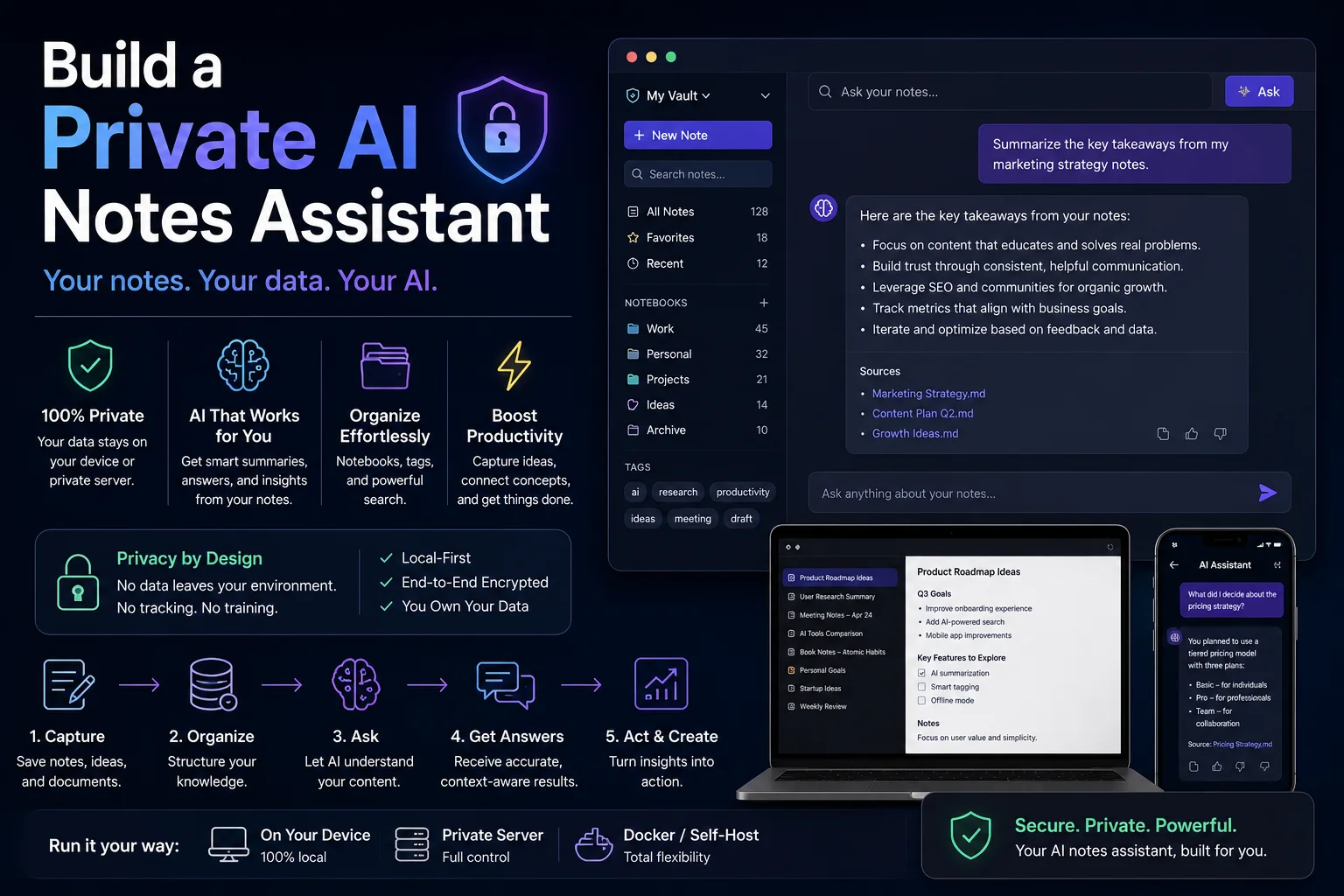
Build a Private AI Notes Assistant
Turn a folder of Markdown notes into a searchable assistant without exposing private drafts.
Comments
0 commentsNo approved comments are visible yet. New community replies may wait for moderation.