Article
How to Use Midjourney AI: A Step by Step Tutorial
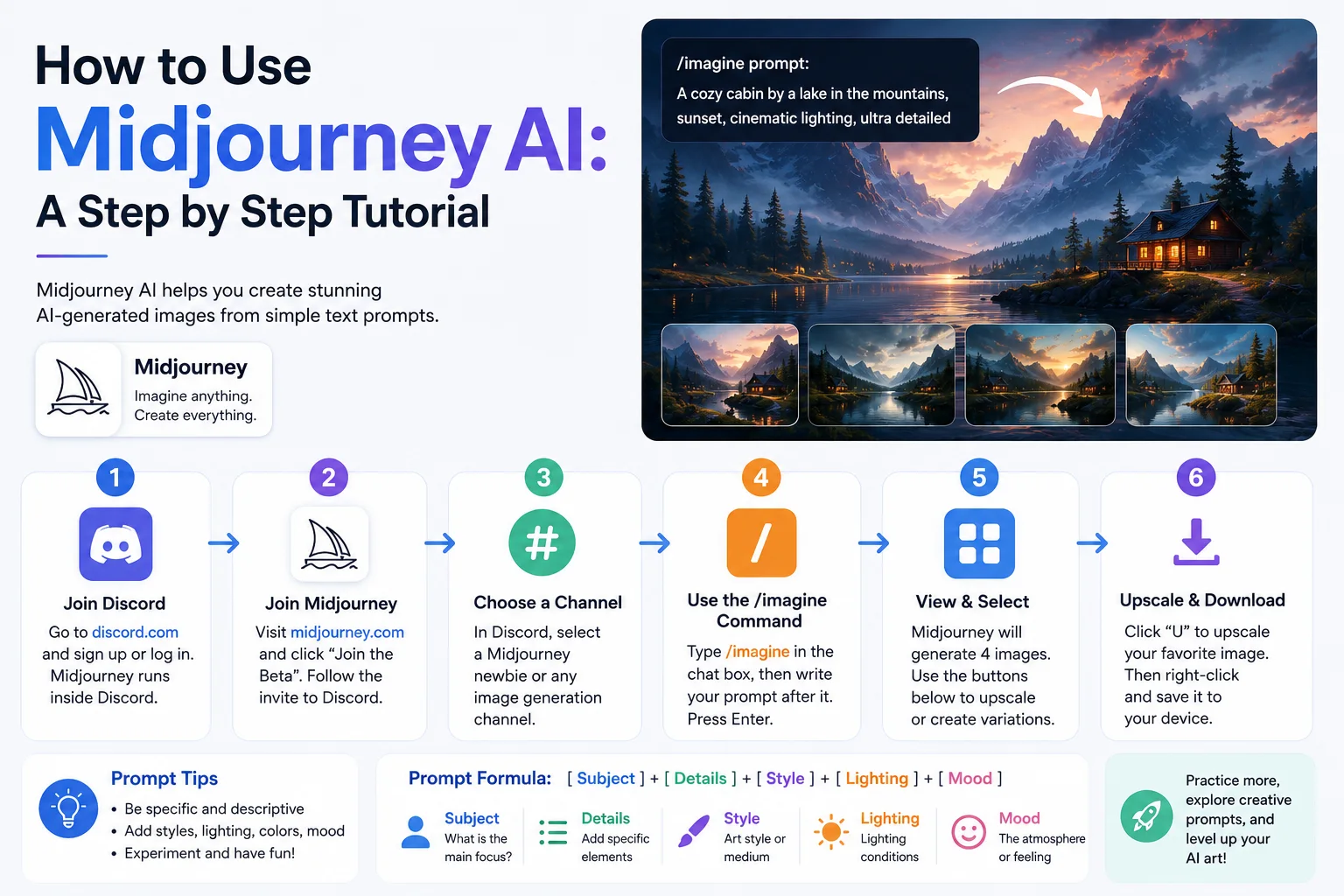
Midjourney operates through Discord. Go to midjourney.com and click "Join the Beta" to access the Discord server.
2 min readLanguage: EN EnglishFree0 claps0 comments
Reading options
Getting Started
Step 1: Join Discord
Midjourney operates through Discord. Go to midjourney.com and click "Join the Beta" to access the Discord server.
Step 2: Subscribe
Use the /subscribe command in any Discord channel. Choose a plan:
| Plan | Monthly | Images | Commercial Use |
|---|---|---|---|
| Basic | $10 | ~200 | Yes |
| Standard | $30 | Unlimited (slow) / 15h fast | Yes |
| Pro | $60 | Unlimited (slow) / 30h fast | Yes |
| Mega | $120 | 60h fast | Yes |
Step 3: Generate Your First Image
Go to a #newbies-* channel or your private server. Type:
/imagine prompt: a serene mountain lake at sunset, photorealistic, 8k, cinematic lighting
Midjourney will process and return four variations.
The Prompt Structure
[Subject] + [Details] + [Style] + [Technical Parameters]

Example:
a futuristic city with neon lights, rain on streets, cyberpunk style,
highly detailed, cinematic lighting --ar 16:9 --v 6
Elements of a Good Prompt
- Subject: What is the main focus? (a cat, a landscape, a product)
- Medium: Photo, painting, 3D render, sketch
- Environment: Setting/background
- Lighting: Golden hour, cinematic, studio, neon
- Color palette: Pastel, monochrome, vibrant
- Mood: Serene, dramatic, mysterious
- Composition: Close-up, wide angle, bird's eye view
Parameters Reference
| Parameter | Example | Effect |
|---|---|---|
--ar |
--ar 16:9 |
Aspect ratio (width:height) |
--v |
--v 6 |
Version (6 is latest) |
--s |
--s 250 |
Stylize (0-1000, higher = more artistic) |
--c |
--c 20 |
Chaos (0-100, higher = more diverse) |
--iw |
--iw 2 |
Image weight when using reference images |
--no |
--no text,watermark |
Negative prompt — what to exclude |
--seed |
--seed 12345 |
Reproduce similar results |
--stylize |
--stylize 500 |
Alternative to --s |
Advanced Techniques
Image Referencing
Upload an image to Discord, copy its URL, and use it in your prompt:
/imagine prompt: [image URL] a cat sitting on a chair --iw 1.5
Remix Mode
After generating, use Vary (Region) to modify specific areas, or use Remix to change the prompt while keeping the composition.
Blending
/blend
Select two images and Midjourney blends them.
Pro Tips
- Be specific — "a dog" vs "a golden retriever puppy sleeping on a blue velvet cushion"
- Use style references — "in the style of Studio Ghibli" or "in the style of Annie Leibovitz"
- Iterate — Upscale the best result, then vary it
- Keep prompts concise — 10-15 words is ideal
- Use parameters wisely — Higher stylize for art, lower for realism
Common Mistakes
- Too vague — "a nice picture of something beautiful" gives poor results
- Overloading — Too many subjects confuse the model
- Wrong aspect ratio — Default is square (1:1); specify --ar for landscapes/portraits
- Ignoring version --v 5.2 and --v 6 produce very different results
Featured Articles

5 minFree
The 10 Largest Frontend Performance Challenges in 2026 (And How to Fix Them)
TechnologyWebWeb Development

13 minFree
Should I Use React or Next.js? Complete Comparison Guide 2026
TechnologyNext.jsReactReact.js

5 minFree
Build an Offline-First SaaS with Laravel & React: Complete PWA Tutorial 2026
TechnologyWebLaravelProgramming
Comments
0 commentsNo approved comments are visible yet. New community replies may wait for moderation.