How to Digitize Your Paper Files and Live a Paperless Life

The average office worker uses 10,000 sheets of paper per year. Paper takes up physical space, creates visual clutter, and makes finding documents a scavenger hunt. A paperless system, by contrast, is searchable, backup-able, and accessible from anywhere.
The average office worker uses 10,000 sheets of paper per year. Paper takes up physical space, creates visual clutter, and makes finding documents a scavenger hunt. A paperless system, by contrast, is searchable, backup-able, and accessible from anywhere.
Going paperless is not about scanning every piece of paper you own. It is about creating a system that lets you process, store, and retrieve documents without touching paper. This guide walks you through the entire process, start to finish.
Step 1: Choose Your Tools
The Scanner
| Option | Cost | Speed | Best for |
|---|---|---|---|
| Mobile phone camera | Free ($0) | Slow (manual) | Occasional scanning |
| Flatbed scanner | $80–$200 | Medium | Photos, fragile documents |
| Document feeder scanner | $200–$600 | Fast (25+ ppm) | High-volume paper reduction |
| Scanner app (Adobe Scan, CamScanner) | Free–$10/mo | Medium | On-the-go scanning |
Recommendation: For most people, a mobile scanner app (Adobe Scan is excellent and free) combined with a Fujitsu ScanSnap iX1600 for heavy lifting is the perfect setup.
The Storage System
Your digital filing system needs to be:
- Searchable: Full-text OCR (Optical Character Recognition)
- Backed up: 3-2-1 rule (3 copies, 2 media, 1 offsite)
- Accessible: Available on phone, tablet, and computer
- Organized: A logical folder structure
| Platform | Cost | Search | OCR | Mobile access |
|---|---|---|---|---|
| Google Drive | Free (15 GB) | Good | No native OCR | Yes |
| Evernote | $8–$15/mo | Excellent | Yes | Yes |
| Devonthink (Mac) | $99 one-time | Excellent | Yes | Limited |
| Paperless-ngx | Free (self-host) | Excellent | Yes | Yes |
| OneDrive | Free (5 GB) | Good | No native OCR | Yes |
Recommendation: Evernote or Paperless-ngx for serious paperless efforts. Google Drive for casual users.
The Naming Convention
Before scanning a single document, decide on a file naming system. Consistency is everything.
Recommended format: YYYY-MM-DD_Category_Description_Version
| Document | File name |
|---|---|
| 2024 tax return | 2024-04-15_Taxes_2024-1040_v1.pdf |
| Passport scan | 2024-06-01_ID_Passport_JohnDoe.pdf |
| Car insurance policy | 2025-01-01_Insurance_Auto_GEICO.pdf |
| Medical record | 2024-03-10_Medical_BloodWork_DrSmith.pdf |
Step 2: Prepare Your Paper
Before scanning, sort your paper into categories:
| Category | Action | Filing location |
|---|---|---|
| Active documents (bills, contracts, school forms) | Scan and process | Current year folder |
| Tax documents | Scan and store | Taxes folder (keep 7 years) |
| Legal documents (will, deed, marriage cert) | Scan and store in safe | Legal folder + physical safe |
| Medical records | Scan and store | Medical folder |
| Receipts (warranty items) | Scan and store | Receipts folder |
| Receipts (daily expenses) | Scan if deductible, else shred | Discard after 30 days |
| Sentimental (children's art, photos) | Photograph, store digitally | Sentimental folder |
| Junk mail | Shred immediately | Trash |
What to keep physically
Some documents must stay physical:
- Birth certificates and social security cards (store in fireproof safe)
- Original wills and trusts (with lawyer or in safe)
- Property deeds (recorded with county; original in safe)
- Passports and ID cards (current ones in your wallet)
- Marriage certificate (original in safe)
For everything else, scan and shred.
Step 3: The Scanning Process
Batch scanning workflow
- Prepare documents: Remove staples, paper clips, and sticky notes. Flatten folded pages.
- Sort into batches: Scan all documents from one category together.
- Set scanner settings:
- Color: Color (default) or B&W for simple text
- Resolution: 300 DPI (standard); 600 DPI for small text or photos
- Format: PDF (multi-page) or JPEG (single page photos)
- OCR: Enable if available
- Scan: Process each batch
Scanning with your phone (alternative method)
- Download Adobe Scan (free, excellent OCR)
- Lay the document on a dark, flat surface
- Ensure even lighting (natural light from a window works best)
- Frame the document in the camera view
- The app will auto-detect edges, enhance contrast, and run OCR
- Save as PDF
How to handle different document types
| Document type | Scan settings | Notes |
|---|---|---|
| Text (black ink on white paper) | B&W, 300 DPI, PDF | Smallest file size |
| Color documents | Color, 300 DPI, PDF | Good balance of quality/size |
| Photographs | Color, 600 DPI, TIFF or JPEG | Keep highest quality |
| Business cards | Color, 300 DPI, PDF | Many apps have specialized card scanners |
| Receipts | Color, 200 DPI, PDF | Lower resolution is fine for small text |
| Old/fragile documents | Color, 300 DPI, no feeder | Use flatbed scanner, handle carefully |
Step 4: Organize Your Digital Files
Folder structure
Here is a proven folder structure that works for most people:
/Paperless/
├── 01_Active/
│   ├── Bills/
│   ├── Contracts/
│   └── Projects/
├── 02_Taxes/
│   ├── 2023/
│   ├── 2024/
│   └── 2025/
├── 03_Financial/
│   ├── Bank_Statements/
│   ├── Investment/
│   ├── Insurance/
│   └── Receipts/
├── 04_Legal/
│   ├── ID_Passport/
│   ├── Will_Trust/
│   ├── Deeds/
│   └── Marriage_Divorce/
├── 05_Medical/
│   ├── Records/
│   ├── Prescriptions/
│   └── Insurance/
├── 06_Home/
│   ├── Repairs/
│   ├── Appliances/
│   └── Improvements/
├── 07_Work/
│   ├── PerformanceReviews/
│   ├── PayStubs/
│   └── Benefits/
└── 08_Sentimental/
    ├── Artwork/
    ├── Letters/
    └── Photos/
Tags and metadata (advanced)
If you are using a platform that supports tags (Evernote, Devonthink, Paperless-ngx), add these:
- Document type: receipt, contract, tax, ID, medical, etc.
- Year: 2024, 2025, etc.
- Person: family member name
- Status: active, archived, expired
- Vendor: utility, insurance company, doctor name
Step 5: Back Up Your Digital Files
The 3-2-1 Backup Rule
| Component | What it means | Example |
|---|---|---|
| 3 copies | Original + 2 backups | Computer + external drive + cloud |
| 2 media types | Different storage technologies | SSD + cloud (not two external drives) |
| 1 offsite | One copy stored elsewhere | Cloud backup or safety deposit box |
Recommended backup setup
Primary: Local computer + external SSD (Time Machine or backup software)
Secondary: Cloud sync (Google Drive, OneDrive, Dropbox)
Tertiary: Cloud backup (Backblaze, Crashplan, or iCloud)
| Backup method | Cost | Restore speed | Automation |
|---|---|---|---|
| External HDD | $60–$100 (one-time) | Fast | Manual or scheduled |
| Cloud sync (Drive, Dropbox) | Free–$10/mo | Fast (download) | Automatic |
| Cloud backup (Backblaze) | $7/mo | Fast (download) | Automatic |
| NAS (Synology) | $200+ (hardware) | Very fast | Automatic |
Step 6: Process Your Incoming Paper
Going paperless is not a one-time event—it is a system. You need a workflow for new paper that enters your home or office.
The weekly paper processing routine
| Day | Time | Action |
|---|---|---|
| Saturday | 15 min | Gather all paper accumulated during the week |
Processing checklist:
- Collect — Go through your wallet, bag, countertops, and pockets
- Sort — Divide into: action required, file only, shred
- Scan — Use your scanner app or document feeder
- Name — Apply your naming convention
- Save — Place in the correct folder, add tags
- Act — If the document requires a response, do it now (or add to your task list)
- Shred — Destroy the original
What to do with specific incoming paper:
| Item | Action |
|---|---|
| Monthly bills | Pay online. Scan confirmation PDF. Shred bill. |
| Credit card statements | Download PDF. No need to print. |
| Utility bills | Pay online. Scan if paper. Shred after 30 days. |
| Insurance policies | Scan PDF. Store in Insurance folder. Keep physical current year. |
| Doctor visit summary | Scan into Medical folder. |
| Receipt < $75 | Photograph. Discard. |
| Recipt > $75 (warranty ite) | Scan. File in Appliance or Rceipts folder. |
| Contrat | Scan as PDF. File in Actve/Contrats. |
Step 7: Shredding and Disposal
Once a documet is scanned, backed up, and verified, destoy the original.
| Document type | Shed method |
|---|---|
| U.S. mail with your name and address | Crosscut shredder |
| Documents with full name + account number | Cross-cut shredder |
| Tax returns | Cross-cut shredder after 7 years |
| Passords, SS cards | Professional shredding service (shed fest) |
| General paper (no seitive info) | Recyle |
Recommended: A micro-cut cross-cut shredder. It cost $40-$80 and reduces paper to confetti-sized pieces.
The First Weekend: Your Paperless Blitz
Saturday:
| Time | Task |
|---|---|
| 9:00 AM | Set up accounts (Evernote/Drive + scanner app) |
| 10:00 AM | Create folder structure |
| 11:00 AM | Sort all paper into piles (keep/scan/shred) |
| 12:00 PM | Lunch |
| 1:00 PM | Start scanning — tax documents first |
| 4:00 PM | Continue scanning — financial and legal |
| 5:00 PM | Verify scans are readable and filed correctly |
Sunday:
| Time | Task |
|---|---|
| 9:00 AM | Scan medical, home, and work documents |
| 12:00 PM | Lunch |
| 1:00 PM | Shred everything in the shred pile |
| 2:00 PM | Set up automated backup |
| 3:00 PM | Create the recurring Saturday morning processing routine |
| 4:00 PM | Enjoy your clutter-free space |
Final Thoughts
Going paperless is one of the highest-leverage productivity moves you can make. It saves you time (no more filing cabinets), money (no late fees from lost bills), and sanity (finding any document in seconds).
The hardest part is starting. Scan one drawer. Then another. Before you know it, you will be a paperless household—and you will never go back.
Featured Articles

How to Stay Motivated When You Feel Like Giving Up
Motivation is not a constant. It ebbs and flows. Some days you wake up ready to conquer the world. Other days, getting out of bed feels like a win. The difference between people who succeed and those who give up is not that successful people never feel like quitting—it is that they have systems in place to keep going even when motivation is absent.

The Best Apps for Habit Tracking and Goal Setting
Building habits is hard. Tracking them makes it easier. Research from the American Psychological Association shows that monitoring your behavior increases self-awareness and improves follow-through. The right app can be the difference between a habit that sticks and one that fades after three days.
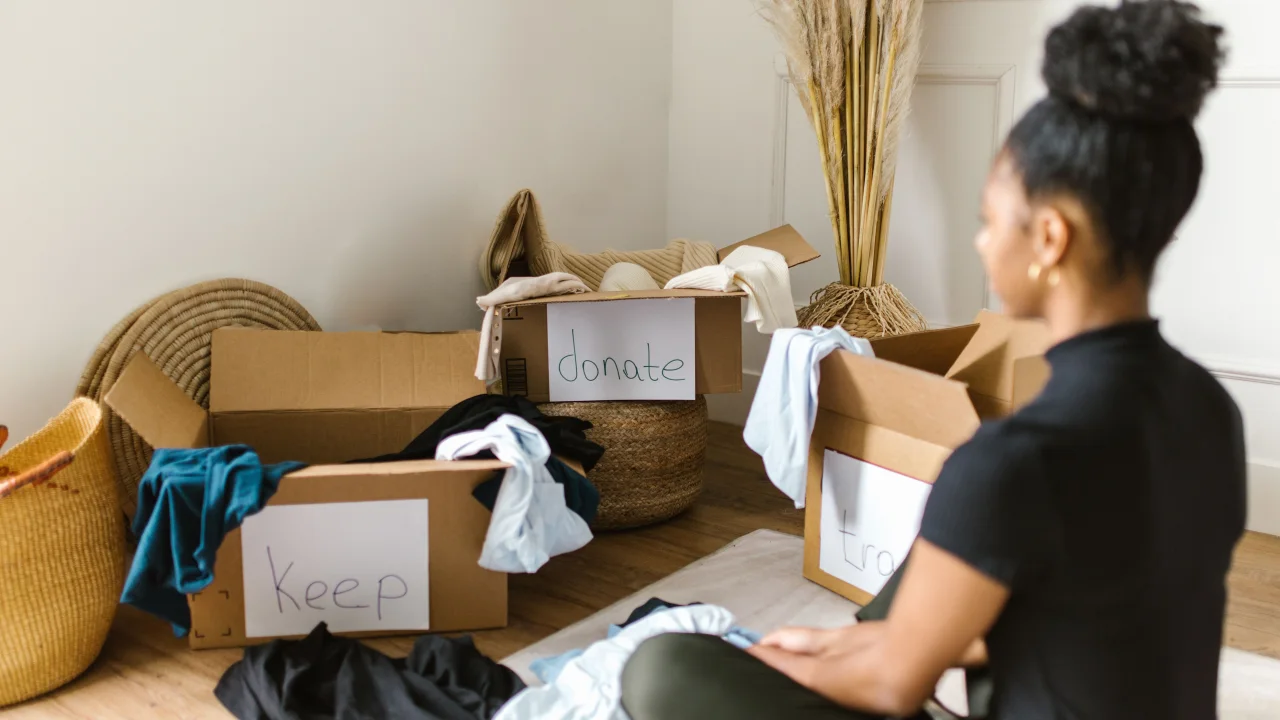
How to Curate a Capsule Wardrobe and Save Money on Clothes
The average person wears only 20% of their wardrobe 80% of the time. The rest sits unworn, taking up closet space and representing money that could have been saved. A capsule wardrobe solves this problem by paring down your clothing to a small set of versatile, high-quality pieces that all work together.
Comments
0 commentsNo approved comments are visible yet. New community replies may wait for moderation.