Zero Trust Security Model
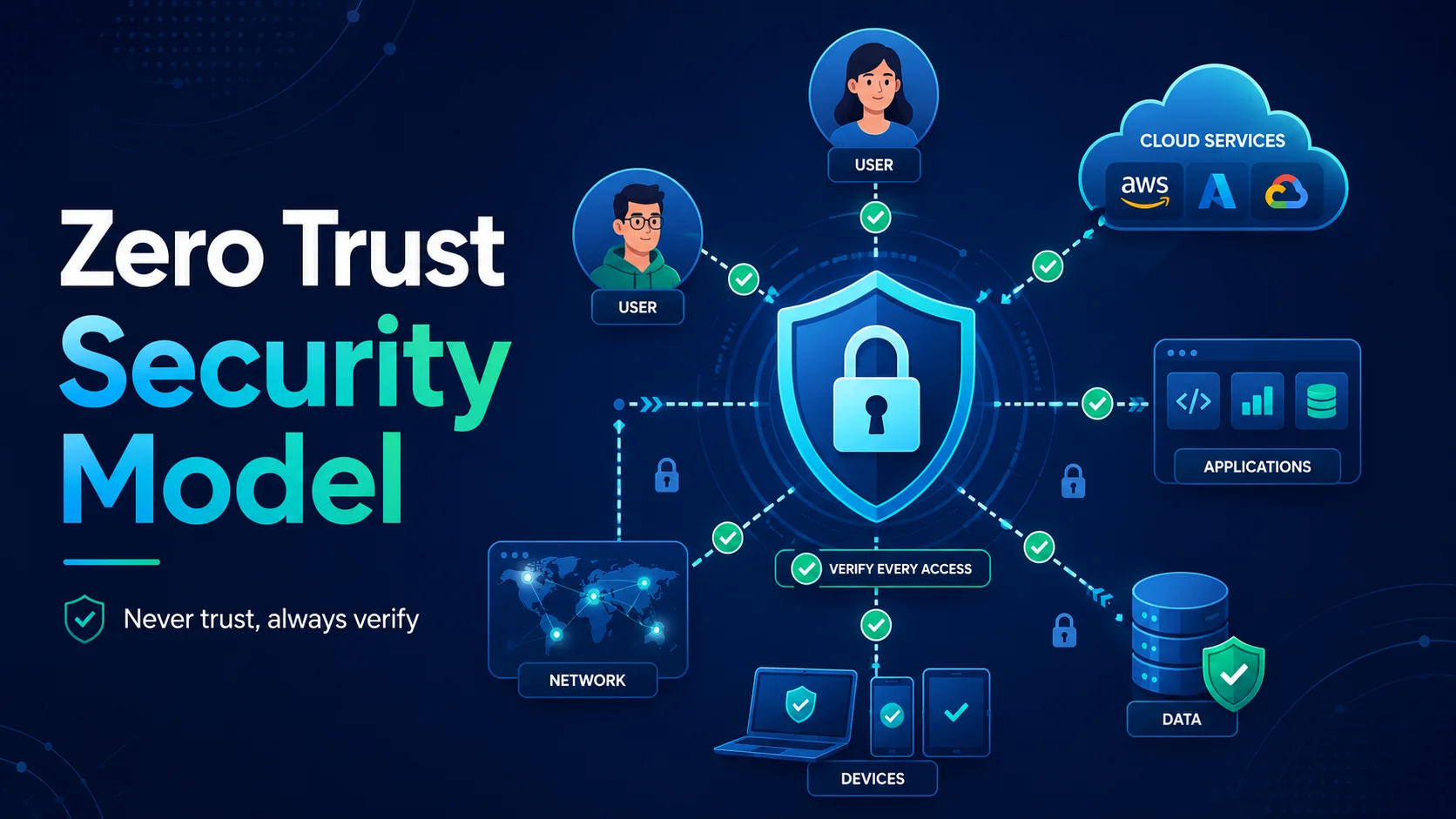
Zero Trust is a security framework that eliminates implicit trust from any user, device, or network — inside or outside the organization perimeter. The core principle is simple: **never trust, always verify**.
Introduction
Zero Trust is a security framework that eliminates implicit trust from any user, device, or network — inside or outside the organization perimeter. The core principle is simple: never trust, always verify.
The traditional "castle-and-moat" security model assumed everything inside the corporate network was safe. With the rise of remote work, cloud services, SaaS applications, and mobile devices, the perimeter has dissolved. Zero Trust addresses this new reality by treating every access request as potentially hostile, regardless of its origin.
Why Zero Trust Now?
Several trends have made Zero Trust not just advisable but essential:
| Trend | Perimeter Model Problem | Zero Trust Solution |
|---|---|---|
| Remote/Hybrid Work | VPNs are slow, complex, grant broad network access | ZTNA grants application-level access, not network access |
| Cloud Adoption | Corporate network no longer hosts all resources | Identity-based access to cloud resources regardless of location |
| SaaS Applications | Users access apps outside corporate control | Conditional access policies apply everywhere |
| Ransomware | Lateral movement within trusted network | Micro-segmentation limits blast radius |
| Insider Threats | Trusted insiders can cause damage | Least privilege + continuous verification |
| Supply Chain Risk | Third-party access expands attack surface | Service-to-service authentication with mTLS |
Core Principles
1. Verify Explicitly
Always authenticate and authorize based on ALL available data points:
- User identity — Who is the user? (SSO, MFA)
- Device health — Is the device compliant? (MDM, antivirus, patch level)
- Location — Where is the request coming from? (IP, geo)
- Data sensitivity — What is being accessed?
- Behavior — Is this behavior normal? (UEBA — User and Entity Behavior Analytics)
- Risk score — Calculate risk in real-time and enforce accordingly.
2. Least Privilege Access
Grant the minimum permissions needed to perform the task, for the minimum time required:
- Just-In-Time (JIT) — Elevate privileges only when needed.
- Just-Enough-Access (JEA) — Grant only the specific permissions required.
- Zero Standing Privileges (ZSP) — No permanent privileged access. Elevate on-demand.
3. Assume Breach
Design systems assuming an attacker is already present:
- Micro-segmentation — Isolate workloads so a breach in one does not reach others.
- End-to-end encryption — Every communication is encrypted.
- Continuous monitoring — Log and analyze all activity.
- Rapid response — Automated incident response (SOAR).
Zero Trust Architecture
Logical Architecture
                    ┌──────────────────────────────────┐
                    │       Policy Engine (PDP)        │
                    │  ┌─────────────┐ ┌────────────┐  │
                    │  │ Policy      │ │ Risk       │  │
                    │  │ Database    │ │ Engine     │  │
                    │  └─────────────┘ └────────────┘  │
                    └──────────────┬───────────────────┘
                                   │
┌─────────┐  ┌────────┐  ┌───────▼──────┐  ┌──────────┐  ┌─────────┐
│ User    │  │ Device │  │   Policy     │  │ Resource │  │ Data    │
│ Identity│  │ Health │  │ Enforcement  │  │ (App,    │  │ (Files, │
│ (IDP)   │  │ (MDM)  │  │ Point (PEP)  │  │  API)    │  │  DB)    │
└─────────┘  └────────┘  └──────────────┘  └──────────┘  └─────────┘
Key Components
| Component | Function | Examples |
|---|---|---|
| Identity Provider (IdP) | Authenticate users | Azure AD, Okta, Keycloak |
| Policy Decision Point (PDP) | Evaluate access policies | OPA, AVP, custom |
| Policy Enforcement Point (PEP) | Allow/deny access | API Gateway, ZTNA agent |
| Device Trust | Verify device compliance | Jamf, Intune, Workspace ONE |
| Data Protection | Classify and protect data | Microsoft Purview, Nightfall |
| Analytics | Detect anomalies | Splunk UEBA, Azure Sentinel |
Zero Trust Implementation Areas
1. Identity and Access Management (IAM)
The foundation of Zero Trust is strong identity:
Authentication:
# Conditional access policy (Azure AD)
access_policy:
  # Require MFA for all external access
  - conditions:
      locations: ["AllTrusted", "AllUntrusted"]
      client_apps: ["All"]
    grant_controls:
      - authentication_strength: "mfa"
      - require_device_to_be_marked_as_compliant: true

  # Block access from unexpected locations
  - conditions:
      locations: ["UntrustedCountries"]
    grant_controls:
      - block: true
Authorization — Attribute-Based Access Control (ABAC):
{
  "Effect": "Allow",
  "Action": "read",
  "Resource": "documents/contracts/*",
  "Condition": {
    "StringEquals": {"user.department": "legal"},
    "BoolEquals": {"device.compliant": "true"},
    "IpAddress": {"source.ip": "10.0.0.0/8"}
  }
}
2. Micro-Segmentation
Divide the network into small, isolated zones:
Before (flat network):
  [App A] ←→ [App B] ←→ [Database] ←→ [App C]
  A breach in App A can reach Database directly

After (micro-segmented):
  [App A] ──┐
  [App B] ──┤── [API Gateway] ── [Database]
  [App C] ──┘
  Each component has its own firewall rules
  Lateral movement requires breaching multiple segments
Kubernetes Network Policy Example:
apiVersion: networking.k8s.io/v1
kind: NetworkPolicy
metadata:
  name: db-network-policy
spec:
  podSelector:
    matchLabels:
      app: database
  policyTypes:
    - Ingress
  ingress:
    - from:
        - podSelector:
            matchLabels:
              app: api-server
      ports:
        - protocol: TCP
          port: 5432
    # Deny all other ingress traffic by default
3. Zero Trust Network Access (ZTNA)
ZTNA replaces traditional VPNs. Instead of granting network-level access (you are on the VPN, you can reach everything), ZTNA grants application-level access based on identity and context.
| Feature | VPN | ZTNA |
|---|---|---|
| Access model | Network-level (broad) | Application-level (granular) |
| User experience | Client software required | Agentless options (browser-based) |
| Performance | All traffic routed through VPN | Split tunneling, direct-to-app |
| Security | High risk of lateral movement | No network-level access |
| Scalability | Hardware/appliance limitations | Cloud-native, elastic |
| Maintenance | Requires patching and upgrades | SaaS, provider-managed |
ZTNA Solutions:
- Cloudflare Access — Global edge-based ZTNA.
- Zscaler Private Access — Cloud-native ZTNA.
- Tailscale — WireGuard-based, mesh VPN with ZTNA principles.
- AWS Verified Access — ZTNA for AWS applications.
- NetSkope — CASB + ZTNA.
4. Device Trust
Before granting access, verify the device meets security baselines:
{
  "device_trust_policy": {
    "os_required": ["Windows 11", "macOS 14+", "Ubuntu 22.04+"],
    "disk_encryption": "required",
    "firewall": "enabled",
    "antivirus": "active_and_updated",
    "patch_level": "within_30_days",
    "screen_lock": "enabled",
    "jailbreak": "not_detected",
    "certificate": "valid_device_cert"
  }
}
Mobile Device Management (MDM) integration:
- Microsoft Intune — Conditional access based on device compliance.
- Jamf Pro — Apple device management.
- VMware Workspace ONE — Unified endpoint management.
5. Continuous Monitoring
Zero Trust is not "trust once, access always" — it requires continuous verification.
User and Entity Behavior Analytics (UEBA):
# Anomaly detection rules
ANOMALOUS_BEHAVIORS = {
    "impossible_travel": {
        "condition": "user.login_location changes > 500km in < 1hr",
        "action": "block access, alert security team"
    },
    "unusual_download": {
        "condition": "user downloads > 100 files in 5 minutes",
        "action": "block, require re-authentication"
    },
    "off_hours_access": {
        "condition": "user accesses sensitive data at 3 AM (not typical)",
        "action": "log, flag for review"
    }
}
SIEM Integration:
# Splunk search: Detect lateral movement
index=windows sourcetype=WinEventLog:Security EventCode=4624
  [search index=windows sourcetype=WinEventLog:Security EventCode=4625
    | stats count by AccountName
    | where count > 5
    | fields AccountName]
  | stats count by AccountName, ComputerName
  | where count > 3
Zero Trust Maturity Model
| Level | Identity | Device | Network | Data | Visibility |
|---|---|---|---|---|---|
| 0 — Traditional | Static passwords | BYOD/no control | Flat network | Minimal controls | Basic logging |
| 1 — Initial | SSO + MFA | Basic MDM | Firewalls, VPN | File permissions | Centralized logs |
| 2 — Advanced | Conditional access | Device compliance | Micro-segmentation, ZTNA | DLP, encryption | SIEM + UEBA |
| 3 — Optimal | Risk-based adaptive | Automated response | AI-driven segmentation | Dynamic classification | Automated SOAR |
Implementation Roadmap
Phase 1: Foundation (Months 1-3)
- Identify protect surface — Document data, applications, assets, and services.
- Map transaction flows — Understand how data moves between components.
- Deploy strong authentication — MFA for all users, SSO integration.
- Start monitoring — Centralize logs, deploy SIEM.
Phase 2: Initial Zero Trust (Months 4-8)
- Implement device trust — MDM, device compliance policies.
- Deploy ZTNA — Replace VPN with ZTNA for priority applications.
- Begin micro-segmentation — Segment critical data and applications.
- Define policies — Create ABAC policies for sensitive resources.
Phase 3: Advanced (Months 9-15)
- Full micro-segmentation — All workloads segmented.
- Automated policy enforcement — Risk-adaptive access controls.
- UEBA deployment — Behavior-based anomaly detection.
- Automated incident response — SOAR playbooks.
Phase 4: Optimal (Ongoing)
- AI-driven policies — Machine learning for access decisions.
- Zero standing privileges — JIT/JEA for all privileged access.
- Continuous validation — Real-time risk scoring for every request.
- Threat hunting — Proactive search for indicators of compromise.
Common Challenges and Mitigations
| Challenge | Mitigation |
|---|---|
| Legacy applications that require network-level access | Deploy a ZTNA connector/broker; plan application modernization |
| User resistance to MFA and new access methods | Phased rollout, user education, passwordless options |
| Cost of new tools and licenses | Start with highest-risk data, show ROI from reduced breach risk |
| Complexity of managing policies | Use policy-as-code (OPA, Rego), centralize policy management |
| Performance overhead of continuous verification | Cache decisions, use edge-based enforcement, optimize policy evaluation |
A Zero Trust Policy Example (OPA/Rego)
package zero_trust

default allow = false

# Allow access only if ALL conditions are met
allow {
    # User is authenticated
    input.user.authenticated == true

    # MFA was used for this session
    input.user.mfa_used == true

    # Device is compliant
    input.device.compliant == true
    input.device.encrypted == true
    input.device.patch_level == "current"

    # Request is within expected parameters
    input.request.sensitivity == "low"
    not input.user.anomalous_behavior
}

# High-sensitivity data requires additional checks
allow {
    input.request.sensitivity == "high"
    input.user.role == "data_analyst"
    input.request.time.hour >= 8
    input.request.time.hour <= 18
    input.request.source_ip in input.allowed_ip_ranges
    input.device.managed == true
}
Conclusion
Zero Trust is not a product you buy — it is a security model you implement. The transition is a journey:
- Change the mindset — Never implicitly trust. Always verify.
- Start with identity — Strong authentication is the foundation.
- Reduce the attack surface — Least privilege, micro-segmentation.
- Assume breach — Monitor everything, automate responses.
- Iterate — Zero Trust maturity is a continuous improvement process.
The organizations that successfully implement Zero Trust will be more resilient against ransomware, supply chain attacks, and insider threats — the defining cybersecurity challenges of our era.
Featured Articles

The 10 Largest Frontend Performance Challenges in 2026 (And How to Fix Them)

Should I Use React or Next.js? Complete Comparison Guide 2026

Build an Offline-First SaaS with Laravel & React: Complete PWA Tutorial 2026
Comments
0 commentsNo approved comments are visible yet. New community replies may wait for moderation.