WebAssembly: The Future of Web Applications
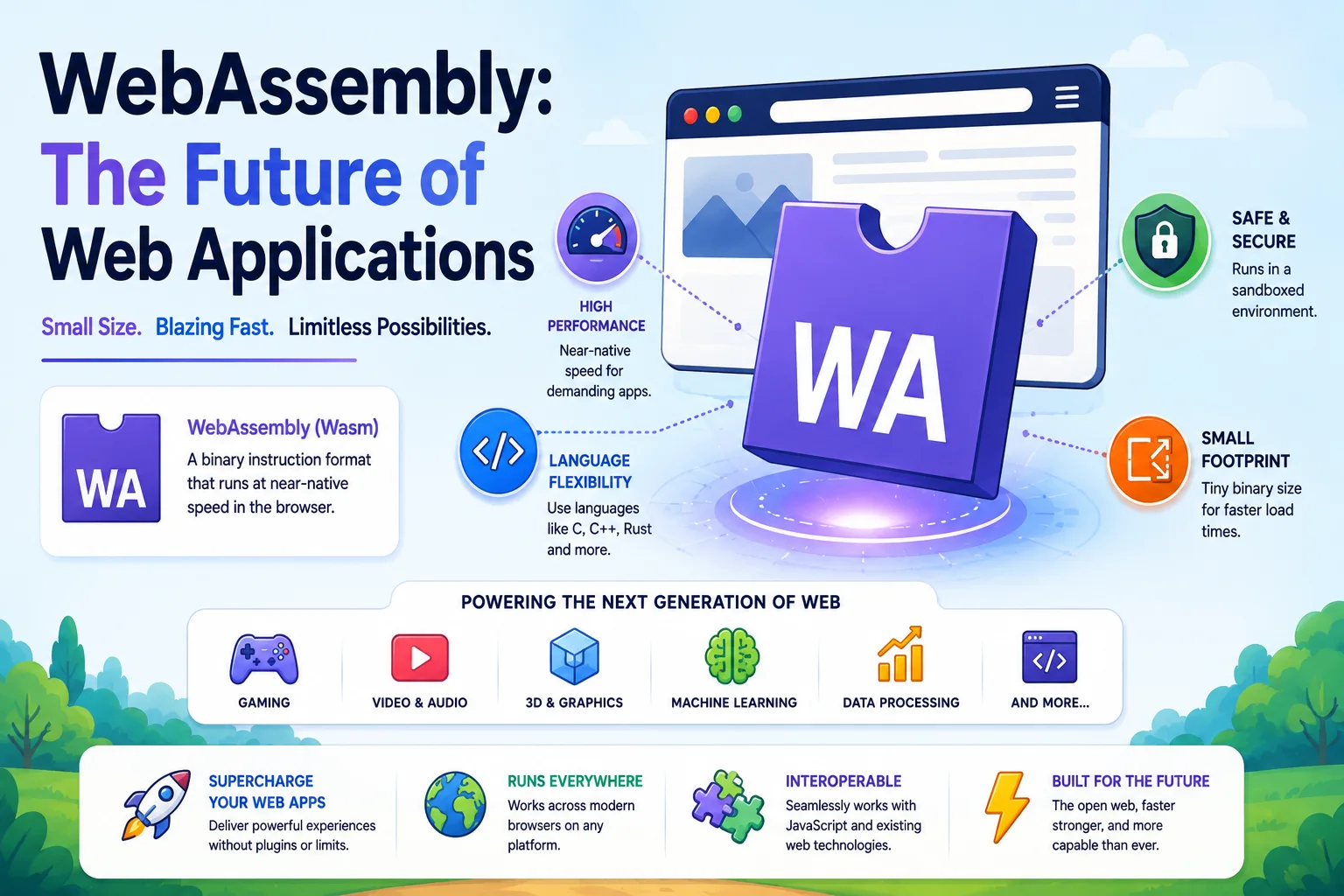
WebAssembly (Wasm) is a low-level binary instruction format that executes at near-native speed in modern web browsers. It provides a compilation target for languages like C, C++, Rust, and Go, enabling high-performance applications — video editing, 3D rendering, gaming, scientific simulations — to run in the browser with performance comparable to native code.
Introduction
WebAssembly (Wasm) is a low-level binary instruction format that executes at near-native speed in modern web browsers. It provides a compilation target for languages like C, C++, Rust, and Go, enabling high-performance applications — video editing, 3D rendering, gaming, scientific simulations — to run in the browser with performance comparable to native code.
Wasm is not replacing JavaScript — it is complementing it. JavaScript handles UI and interactivity while Wasm powers the performance-critical paths.
Why WebAssembly?
The Problem with JavaScript
JavaScript was never designed for high-performance computing. It is a dynamically-typed, garbage-collected, single-threaded language. While modern JIT compilers (V8, SpiderMonkey) have made JS remarkably fast, fundamental limitations remain:
| Limitation | Impact |
|---|---|
| Dynamic typing | Type checking at runtime adds overhead |
| Garbage collection | Pauses for GC cycles |
| Single-threaded | Cannot utilize multi-core CPUs (without Web Workers) |
| No SIMD (until recently) | Slower for parallel workloads |
| Large applications | Parsing and compiling JS is expensive |
What WebAssembly Offers
| Feature | Benefit |
|---|---|
| Near-native speed | Compiled binary runs 10-50x faster than equivalent JavaScript for compute-intensive tasks |
| Predictable performance | No JIT warm-up, no garbage collection pauses |
| Language flexibility | Write in Rust, C++, Go, Zig, or 40+ other languages |
| Secure sandbox | Runs in a memory-safe isolated environment |
| Portable | Runs on any modern browser, server, IoT, and embedded devices |
| Small file size | Wasm binary is typically 50-80% smaller than equivalent JS |
Performance Comparison
Task                  JavaScript    WebAssembly    Native
─────────────────────────────────────────────────────────
Image blur (4MP)      120ms         8ms            5ms
JSON parse (10MB)     45ms          12ms           10ms
Physics simulation    30 FPS        60 FPS         60 FPS
Audio encoding        3.2x realtime 0.8x realtime  0.5x realtime
Video decoding        30 FPS        60 FPS         60 FPS
How WebAssembly Works
Compilation Pipeline
Source Code (Rust/C++/Go/...) ──► Compiler (wasm-pack, emcc, tinygo)
                                        │
                                        ▼
                                .wasm binary
                                        │
                                        ▼
                              Browser or Runtime
                              (V8, SpiderMonkey, Wasmtime)
                                        │
                                        ▼
                                Machine Code
Loading and Instantiating Wasm
// Load and instantiate a WebAssembly module
const response = await fetch('module.wasm');
const bytes = await response.arrayBuffer();
const { instance } = await WebAssembly.instantiate(bytes);

// Call exported functions
const result = instance.exports.add(5, 7);
console.log(result); // 12
Memory Model
Wasm has a linear memory — a contiguous array of bytes that both the Wasm module and JavaScript can access:
// Wasm memory is accessible from JavaScript
const memory = instance.exports.memory;
const buffer = new Uint8Array(memory.buffer, offset, length);

// Write data from JS to Wasm memory
buffer[0] = 42;

// Call Wasm function that reads from memory
instance.exports.process_data(offset, length);

// Read results back
console.log(buffer[0]); // Wasm may have modified it
Building WebAssembly Applications
Rust + wasm-pack
Rust has become the most popular language for WebAssembly development:
// lib.rs
use wasm_bindgen::prelude::*;

#[wasm_bindgen]
pub fn fibonacci(n: u32) -> u32 {
    match n {
        0 => 0,
        1 => 1,
        _ => fibonacci(n - 1) + fibonacci(n - 2),
    }
}

#[wasm_bindgen]
pub fn process_image(data: &[u8], width: u32, height: u32) -> Vec<u8> {
    // High-performance image processing
    data.chunks(4)
        .map(|pixel| {
            let r = pixel[0] as f32;
            let g = pixel[1] as f32;
            let b = pixel[2] as f32;
            let gray = (r * 0.299 + g * 0.587 + b * 0.114) as u8;
            [gray, gray, gray, pixel[3]]
        })
        .flatten()
        .collect()
}
# Build Wasm package
wasm-pack build --target web

# Generated files:
# - pkg/my_wasm_bg.wasm  (compiled Wasm binary)
# - pkg/my_wasm.js       (JS glue)
# - pkg/my_wasm.d.ts     (TypeScript types)
C/C++ + Emscripten
// image_filter.cpp
#include <emscripten/emscripten.h>

extern "C" {
EMSCRIPTEN_KEEPALIVE
void apply_sepia(unsigned char* data, int length) {
    for (int i = 0; i < length; i += 4) {
        int r = data[i];
        int g = data[i + 1];
        int b = data[i + 2];

        data[i] = (r * 0.393 + g * 0.769 + b * 0.189);
        data[i + 1] = (r * 0.349 + g * 0.686 + b * 0.168);
        data[i + 2] = (r * 0.272 + g * 0.534 + b * 0.131);
    }
}
}
emcc image_filter.cpp -o image_filter.js -s WASM=1 -s EXPORTED_FUNCTIONS='["_apply_sepia"]'
Go + TinyGo
package main

import "syscall/js"

func add(this js.Value, args []js.Value) interface{} {
    return js.ValueOf(args[0].Int() + args[1].Int())
}

func main() {
    c := make(chan struct{}, 0)
    js.Global().Set("wasmAdd", js.FuncOf(add))
    <-c
}
tinygo build -o main.wasm -target wasm main.go
WebAssembly Use Cases
1. High-Performance Web Applications
| Application | Language | Why Wasm |
|---|---|---|
| Figma | C++ (via Emscripten) | Real-time vector rendering |
| Adobe Photoshop Web | C++ | Desktop-class image editing in browser |
| Google Earth | C++ | 3D rendering of global terrain |
| AutoCAD Web | C++ | CAD modeling in browser |
| FFmpeg.wasm | C | Video transcoding entirely in browser |
2. Gaming
Game engines compile to WebAssembly:
# Unity
Build Settings → WebGL → Build

# Unreal Engine
# Supports WebAssembly as a target platform
3. Server-Side WebAssembly (WASI)
WebAssembly System Interface (WASI) enables Wasm outside the browser:
┌──────────────────────────────────────────┐
│           Serverless Platform            │
├──────────────────────────────────────────┤
│  Cloudflare Workers                      │
│  ┌──────────┐  ┌──────────┐  ┌─────────┐ │
│  │ Wasm app1│  │ Wasm app2│  │ Wasm... │ │
│  └──────────┘  └──────────┘  └─────────┘ │
│  ┌──────────────────────────────────────┐│
│  │         Fastly Compute@Edge         ││
│  └──────────────────────────────────────┘│
│  ┌──────────────────────────────────────┐│
│  │         Fermyon Spin (Nomad)        ││
│  └──────────────────────────────────────┘│
└──────────────────────────────────────────┘
Benefits of server-side Wasm:
- Cold start < 1ms vs. 100ms+ for containers.
- Deterministic — Same input always produces same output.
- Sandboxed — No access to OS or filesystem (unless permitted).
- Portable — Same binary runs on any WASI runtime.
- Lightweight — Runs in hundreds of KB of memory.
4. Plugin Systems
Wasm is ideal for extensibility — applications can run user-contributed plugins safely:
// Application engine with Wasm plugin support
fn run_plugin(plugin_bytes: &[u8], input_data: &[u8]) -> Result<Vec<u8>, Error> {
    let engine = Engine::default();
    let module = Module::new(&engine, plugin_bytes)?;
    let store = Store::new(&engine, ());

    // Wasm plugin runs in a sandboxed environment
    let instance = Instance::new(&store, &module, &[])?;

    let result = instance.exports()
        .get_typed_function::<(i32, i32), i32>("process")?
        .call(&store, (input_ptr, input_len))?;

    Ok(read_result_from_memory(result))
}
Real-world examples:
- Shopify — WebAssembly-based theme rendering.
- Envoy proxy — Wasm filters for traffic processing.
- Unity — Scripting runtime uses Wasm.
WebAssembly vs. JavaScript
| Aspect | JavaScript | WebAssembly |
|---|---|---|
| Language | JS only | 40+ languages |
| Execution | Interpreted + JIT | Compiled binary |
| Performance | Good for UI | Near-native for compute |
| DOM access | Direct | Indirect (through JS) |
| Memory | GC-managed | Manual (linear memory) |
| File size | Larger (source + minified) | Smaller (binary) |
| Debugging | Mature tooling | Evolving |
| Startup | Parse + compile (cold) | Decode + compile (fast) |
| Security | Browser sandbox | Sandbox + memory safety |
When to use which:
- JavaScript — DOM manipulation, user interaction, networking, small applications.
- WebAssembly — Compute-intensive tasks, game engines, image/video processing, porting native libraries.
Best practice: Use JS for the UI layer, Wasm for performance-critical computation.
WebAssembly Ecosystem
Development Tools
| Tool | Purpose | Languages |
|---|---|---|
| wasm-pack | Build, test, publish Rust Wasm packages | Rust |
| Emscripten | Compile C/C++ to Wasm | C, C++ |
| TinyGo | Go compiler with Wasm support | Go |
| wasm-bindgen | High-level JS-Wasm interop | Rust |
| wasmtime | Standalone Wasm runtime (WASI) | Any Wasm |
| wasmer | Universal Wasm runtime | Any Wasm |
| WABT | Wasm binary toolkit | Assembly |
Standard Library and Frameworks
- stdweb / web-sys — Rust bindings for browser APIs.
- Yew — Rust framework for building Wasm web apps (React-like).
- Leptos — Rust full-stack web framework with Wasm.
- Blazor WebAssembly — C#/.NET framework running in browser via Wasm.
Debugging
# Enable DWARF debug info in Wasm
wasm-pack build --debug

# Browser DevTools support
# Chrome: Sources → WebAssembly → .wasm files
# Firefox: Debugger → WebAssembly
Limitations and Challenges
1. DOM Access
Wasm cannot directly manipulate the DOM. It must go through JavaScript:
// Wasm → JS bridge (currently required for DOM)
// Wasm calls JS function → JS modifies DOM → result back to Wasm
Future: The WebIDL bindings and GC proposal will eventually allow direct DOM access.
2. Garbage Collection (GC Proposal)
Currently, Wasm has manual memory management. The GC proposal (stage 4, expected 2026-2027) will add:
- Support for managed languages (Java, Kotlin, Dart, Python).
- Reference types and object graphs.
- Automatic memory management within Wasm.
3. Threading
Wasm threads are supported in browsers via SharedArrayBuffer and Atomic operations, but require specific HTTP headers:
Cross-Origin-Opener-Policy: same-origin
Cross-Origin-Embedder-Policy: require-corp
4. Debugging
Wasm debugging is less mature than JavaScript:
- Source maps for Wasm are supported (Rust, C++ via DWARF).
- Step-through debugging works in Chrome and Firefox.
- Variable inspection is limited compared to JS.
5. Tooling Maturity
- Build pipelines are more complex than JS-only projects.
- Dependency management varies by source language.
- Error messages can be cryptic (especially from Emscripten).
The Future of WebAssembly
Component Model
The component model standardizes how Wasm modules interact:
// Component interface definition
(component
  (import "host" "console_log" (func (param string)))
  (export "process" (func))
)
This enables:
- Language-agnostic library sharing.
- Composition of Wasm components from different languages.
- A package ecosystem (https://wasm.pkg.dev).
WASIX / WASI 2.0
Extended WASI specification adding:
- Sockets and networking.
- Asynchronous I/O.
- Process spawning.
- Time and random number generation.
W3C Progression
| Proposal | Status | Impact |
|---|---|---|
| GC (Garbage Collection) | Stage 4 | Managed languages in Wasm |
| Threading | Stage 3 (browsers) | True parallelism |
| Exception handling | Stage 3 | Structured error handling |
| Tail-call optimization | Stage 2 | Efficient recursion |
| Memory control | Stage 2 | Fine-grained memory management |
| Fixed-width SIMD | Already shipping | Parallel processing |
Conclusion
WebAssembly is transforming the web from a document viewer into a true application platform. Key takeaways:
- Wasm is not a JS killer — It is a complement for performance-critical code.
- Rust is the leading Wasm language — Strong ecosystem, safety, and ergonomics.
- Server-side Wasm is growing — Faster cold starts than containers, ideal for serverless.
- Plugin systems benefit from Wasm — Safe sandboxing for untrusted code.
- Standards are evolving rapidly — GC, threading, and component model will unlock new use cases.
For most web developers, Wasm adoption can start with specific performance bottlenecks — image processing, data compression, complex calculations. As tooling matures and standards stabilize, Wasm will become a standard part of the web development toolbox.
Featured Articles

The 10 Largest Frontend Performance Challenges in 2026 (And How to Fix Them)

Should I Use React or Next.js? Complete Comparison Guide 2026

Build an Offline-First SaaS with Laravel & React: Complete PWA Tutorial 2026
Comments
0 commentsNo approved comments are visible yet. New community replies may wait for moderation.