Vector Databases: The Engine Behind Semantic Search and AI
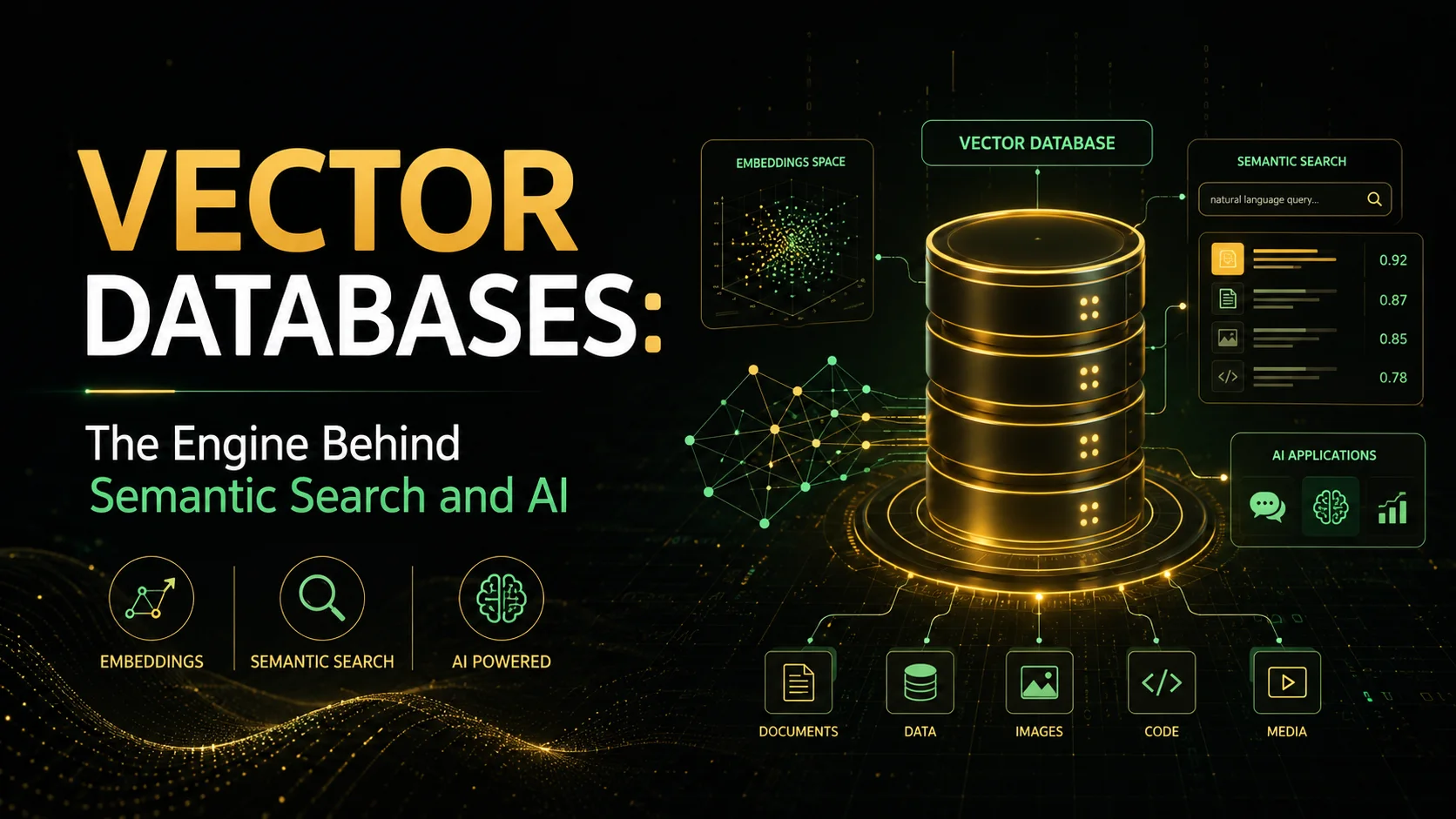
A vector database is a specialized database designed to store, index, and query high-dimensional vector embeddings. Unlike traditional databases that search by exact keyword matches or structured queries, vector databases search by semantic similarity — finding data that is conceptually related even if it uses different words.
Introduction
A vector database is a specialized database designed to store, index, and query high-dimensional vector embeddings. Unlike traditional databases that search by exact keyword matches or structured queries, vector databases search by semantic similarity — finding data that is conceptually related even if it uses different words.
Vector databases have become essential infrastructure for AI applications: powering retrieval-augmented generation (RAG), semantic search, recommendation systems, anomaly detection, and multi-modal AI (text, image, audio).
What Are Vector Embeddings?
From Words to Numbers
Embeddings are numerical representations of data — text, images, audio, or any other modality — produced by machine learning models. The magic is that similar items end up close together in the vector space:
"king" ──► [0.23, -0.45, 0.78, ..., 0.12]  (768 dimensions)
"queen" ──► [0.25, -0.42, 0.76, ..., 0.15]  (close to king)
"apple" ──► [-0.12, 0.65, 0.33, ..., -0.28]  (far from king)
How Embeddings Capture Meaning
                   ┌───────┐
                   │  man  │
                   └───┬───┘
                       │
       ┌───────────────┼───────────────┐
       │               │               │
   ┌───▼───┐       ┌───▼───┐       ┌───▼───┐
   │  king  │───────│ woman │───────│ queen │
   └───┬───┘       └───┬───┘       └───┬───┘
       │               │               │
       └───────────────┼───────────────┘
                       │
                   ┌───▼───┐
                   │  girl  │
                   └───────┘

Vector arithmetic: king - man + woman = queen
Popular Embedding Models
| Model | Dimensions | Best For | Provider |
|---|---|---|---|
| text-embedding-3-small | 512-1536 | General purpose, cost-effective | OpenAI |
| text-embedding-3-large | 256-3072 | High accuracy, semantic search | OpenAI |
| Cohere Embed v3 | 1024 | Multilingual, classification | Cohere |
| BAAI/bge-large-en-v1.5 | 1024 | Open-source, high quality | Hugging Face |
| sentence-transformers/all-MiniLM-L6-v2 | 384 | Lightweight, fast | Hugging Face |
| imagebind | 1024 | Multi-modal (text, image, audio) | Meta |
How Vector Databases Work
Core Operations
- Indexing — Build an efficient data structure (ANN index) over vectors.
- Ingestion — Insert vectors with metadata into the index.
- Querying — Given a query vector, find the K nearest neighbors (KNN).
- Filtering — Combine vector similarity with metadata filters (hybrid search).
The Search Problem
Brute force nearest neighbor search is O(N) — too slow for millions of vectors:
# Brute force — O(N), not scalable
def brute_force_search(query_vector, all_vectors, k=10):
    distances = []
    for i, vec in enumerate(all_vectors):
        dist = cosine_distance(query_vector, vec)
        distances.append((dist, i))
    return sorted(distances)[:k]
Approximate Nearest Neighbor (ANN) Indexes
Vector databases use ANN algorithms to achieve sub-linear search time:
| Algorithm | Speed | Recall | Memory | Build Time |
|---|---|---|---|---|
| HNSW (Hierarchical Navigable Small World) | ⚡ Fast | 95-99% | High | Slow |
| IVF (Inverted File Index) | 🐢 Slow | 90-95% | Medium | Fast |
| IVF + PQ (Product Quantization) | ⚡ Fast | 85-95% | Low | Medium |
| DiskANN | ⚡ Fast | 90-95% | Low (disk) | Medium |
| LSH (Locality-Sensitive Hashing) | 🐢 Slow | 80-90% | High | Fast |
HNSW — The Most Popular Algorithm
HNSW builds a multi-layer graph structure:
Layer 3:  ────────●────────  (sparse, long-range connections)
                   │
Layer 2:  ────●────────●───  (medium density)
               │       │
Layer 1:  ──●──●──●──●──●──  (dense, short-range connections)

Search starts at top layer (coarse) and descends to bottom layer (fine).
Vector Database Comparison
| Feature | Pinecone | Weaviate | Qdrant | Milvus | Chroma | pgvector |
|---|---|---|---|---|---|---|
| Architecture | Managed SaaS | Hybrid | Standalone | Distributed | Embedded | PostgreSQL extension |
| Persistence | Cloud | Cloud/On-prem | Cloud/On-prem | Cloud/On-prem | Local file | PostgreSQL |
| Index | HNSW | HNSW | HNSW | IVF/HNSW | HNSW | IVFFlat/HNSW |
| Hybrid search | Yes | Yes | Yes | Yes | Limited | Yes (via SQL) |
| Multi-tenancy | Yes | Yes | Yes | Yes | Manual | Via schemas |
| Filtering | Pre-filter | Pre/post-filter | Pre-filter | Post-filter | Limited | Filter + index |
| Metadata | JSON | JSON | JSON | JSON | JSON | JSONB |
| Open source | No | Yes (BSL) | Yes (Apache 2.0) | Yes (Apache 2.0) | Yes (Apache 2.0) | Yes (PostgreSQL) |
| Self-host | No | Yes | Yes | Yes | Yes | Yes |
Use Cases
1. Retrieval-Augmented Generation (RAG)
The most popular vector database use case — augment LLMs with private data:
User Query: "What is our company policy on remote work?"

                ┌─────────────────────────┐
                │   Embedding Model       │
                │  text-embedding-3-small │
                └────────────┬────────────┘
                             │ (query vector)
                             ▼
                ┌─────────────────────────┐
                │   Vector Database       │
                │  (company policies)     │
                └────────────┬────────────┘
                             │ (relevant chunks)
                             ▼
                ┌─────────────────────────┐
                │   LLM (GPT-4 / Claude)  │
                │  "Based on our policy   │
                │   document X, remote    │
                │   work is allowed 3     │
                │   days per week..."    │
                └─────────────────────────┘
Python implementation:
import openai
from qdrant_client import QdrantClient

client = QdrantClient("localhost", port=6333)

def rag_query(question: str) -> str:
    # 1. Embed the question
    query_vector = openai.embeddings.create(
        input=question, model="text-embedding-3-small"
    ).data[0].embedding

    # 2. Search vector database
    results = client.query_points(
        collection_name="company_policies",
        query=query_vector,
        limit=5
    )

    # 3. Build context from retrieved chunks
    context = "\n\n".join([r.payload["text"] for r in results.points])

    # 4. Generate answer with context
    response = openai.chat.completions.create(
        model="gpt-4o",
        messages=[
            {"role": "system", "content": "Answer based on the provided context only."},
            {"role": "user", "content": f"Context:\n{context}\n\nQuestion: {question}"}
        ]
    )
    return response.choices[0].message.content
2. Semantic Search
Search by meaning, not keywords:
# Traditional keyword search — misses synonyms
SELECT * FROM products WHERE description LIKE '%cheap laptop%'
# May miss: "affordable notebook" or "budget computer"

# Vector semantic search — finds conceptually related items
results = vector_db.search(
    query="budget-friendly portable computer",
    collection="products",
    limit=10
)
# Finds: "cheap laptop", "affordable notebook", "budget desktop", "entry-level PC"
Performance comparison:
| Search Type | Recall | User Satisfaction | Implementation Complexity |
|---|---|---|---|
| Keyword (BM25) | 40-60% | Low | Low |
| Semantic (Vector) | 70-90% | High | Medium |
| Hybrid (BM25 + Vector) | 85-95% | Very High | High |
3. Multi-Modal Search
Search across different data types:
# Text-to-image search
text_vector = embed_text("sunset over mountains")
image_results = vector_db.search(text_vector, collection="images")

# Image-to-text search
image_vector = embed_image(uploaded_photo)
text_results = vector_db.search(image_vector, collection="descriptions")

# Image-to-image search (visual similarity)
product_image_vector = embed_image(product_photo)
similar_products = vector_db.search(product_image_vector, collection="products")
4. Recommendation Systems
def recommend_items(user_id: str, n: int = 10):
    # Get user's embedding (from past behavior)
    user_vector = get_user_embedding(user_id)

    # Find similar items in vector space
    recs = vector_db.search(
        query=user_vector,
        collection="items",
        limit=n,
        with_payload=True
    )

    # Diversity re-ranking
    return diversify(recs, diversity_factor=0.3)
Vector Database Operations
Creating a Collection and Inserting Vectors
Qdrant example:
from qdrant_client import QdrantClient
from qdrant_client.models import VectorParams, Distance

client = QdrantClient("localhost", port=6333)

# Create collection with specific vector config
client.create_collection(
    collection_name="documents",
    vectors_config=VectorParams(
        size=1536,  # Matches text-embedding-3-small
        distance=Distance.COSINE  # or DOT, EUCLIDEAN
    ),
)

# Insert vectors with payload (metadata)
client.upsert(
    collection_name="documents",
    points=[
        {
            "id": "doc_001",
            "vector": [0.12, -0.45, ..., 0.78],  # 1536-dimensional
            "payload": {
                "title": "Remote Work Policy",
                "category": "HR",
                "author": "HR Team",
                "date": "2026-01-15",
                "chunk_index": 0,
                "text": "Employees may work remotely up to 3 days per week..."
            }
        },
        # ... more points
    ]
)
Hybrid Search with Filters
# Semantic search with metadata filters
results = client.query_points(
    collection_name="documents",
    query=query_vector,
    query_filter=models.Filter(
        must=[
            models.FieldCondition(
                key="category",
                match=models.MatchValue(value="Engineering")
            ),
            models.FieldCondition(
                key="date",
                range=models.Range(gte="2025-01-01")
            ),
        ],
        should=[
            models.FieldCondition(
                key="author",
                match=models.MatchValue(value="Alice")
            ),
        ]
    ),
    limit=20,
    score_threshold=0.75  # Minimum similarity score
)
Vector Database vs. Traditional Database
| Operation | PostgreSQL | pgvector | Dedicated Vector DB |
|---|---|---|---|
| Exact KNN | ❌ (full scan) | ❌ (slow) | ✅ (via brute force) |
| ANN search | ❌ | ✅ (IVFFlat, HNSW) | ✅ (optimized) |
| 10M+ vectors | ✅ | ⚠️ Performance degrades | ✅ |
| Real-time streaming | ✅ | ⚠️ | ✅ |
| Hybrid search | ✅ (SQL filters) | ✅ | ✅ |
| Multi-tenant | ✅ (schemas) | ✅ | ✅ (native) |
| ACID transactions | ✅ | ✅ | ⚠️ (limited) |
| Time-travel queries | ❌ | ❌ | ✅ (WAL) |
Challenges and Considerations
Dimensionality Curse
- Higher dimensions make distance metrics less meaningful.
- Most embedding models use 384-1536 dimensions — this is manageable.
- Beyond 2000 dimensions, consider dimensionality reduction (PCA, UMAP).
Index Maintenance
- HNSW requires significant memory (vectors + graph structure).
- IVF needs periodic retraining as data grows.
- DiskANN trades some speed for lower memory.
Cost
vector_database_pricing:
  pinecone:
    starter: "$70/month for 100K vectors"
    enterprise: "$2,000+/month for 10M+ vectors"
  self_hosted_qdrant:
    infrastructure: "$50-500/month (cloud VMs)"
    maintenance: "Operational overhead"
Data Freshness
- Real-time ingestion conflicts with index optimization.
- Batch indexing for new vectors, incremental for updates.
- Trade-off between freshness and search quality.
Conclusion
Vector databases are a critical infrastructure component for AI applications:
- Use them when you need semantic understanding, not keyword matching.
- The killer app is RAG — augmenting LLMs with private, up-to-date data.
- Choose based on scale — pgvector for small projects, Pinecone/Qdrant for production, Milvus for massive scale.
- Hybrid search (vector + keyword + metadata) provides the best results.
- Embedding model choice matters — test different models for your specific use case.
The vector database landscape is evolving rapidly. Start simple (pgvector or open-source Qdrant), benchmark with your data, and scale up as needed.
Featured Articles

The 10 Largest Frontend Performance Challenges in 2026 (And How to Fix Them)

Should I Use React or Next.js? Complete Comparison Guide 2026

Build an Offline-First SaaS with Laravel & React: Complete PWA Tutorial 2026
Comments
0 commentsNo approved comments are visible yet. New community replies may wait for moderation.