DevSecOps: Integrating Security into DevOps
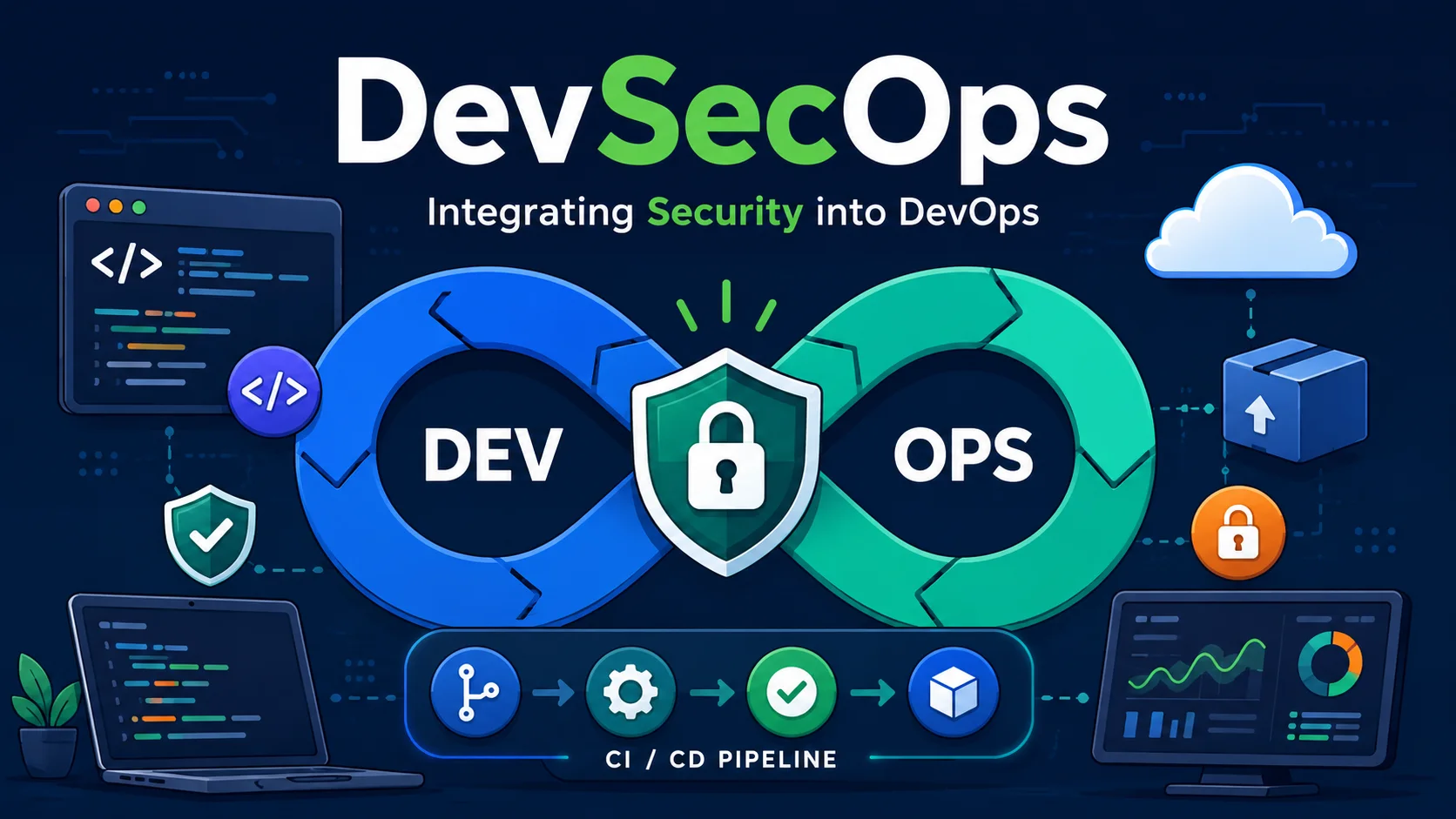
DevSecOps is the practice of integrating security into every phase of the software development lifecycle — from planning and coding to testing, deployment, and operations. Rather than treating security as a final gate (or worse, an afterthought), DevSecOps makes security a continuous, shared responsibility across development, operations, and security teams.
Introduction
DevSecOps is the practice of integrating security into every phase of the software development lifecycle — from planning and coding to testing, deployment, and operations. Rather than treating security as a final gate (or worse, an afterthought), DevSecOps makes security a continuous, shared responsibility across development, operations, and security teams.
The core philosophy is "shift left" — address security concerns as early as possible in the development process, when they are cheapest and easiest to fix. A vulnerability found in production costs 100x more to remediate than one caught during design.
The Shift Left Philosophy
Cost of Fixing Vulnerabilities
Stage         Cost to Fix          Detection
──────────────────────────────────────────────
Design        $1                   Threat modeling, architecture review
Development   $6                   SAST, peer review
Testing       $15                  DAST, penetration testing
Staging       $40                  Integration tests
Production    $100+                Incident response, breach
Source: IBM System Science Institute
Security as Code
Just as DevOps brought "infrastructure as code," DevSecOps brings "security as code":
# .sast.yml — Security policies defined in code
version: 1.0
policies:
  sql_injection:
    severity: critical
    action: block_build
  hardcoded_secret:
    severity: high
    action: alert_and_review
  deprecated_api:
    severity: medium
    action: warn
The DevSecOps Pipeline
Plan → Code → Build → Test → Deploy → Operate
 │      │       │       │       │        │
 ├─ Threat Model
 │      ├─ SAST
 │              ├─ Dependency Scan
 │              ├─ Container Scan
 │                      ├─ DAST
 │                      ├─ IaC Scan
 │                              ├─ Sign
 │                              ├─ Policy Check
 │                                      ├─ Monitoring
 │                                      ├─ SIEM
 │                                      ├─ Incident Response
1. Plan Phase — Threat Modeling
Before writing code, identify potential threats using frameworks like STRIDE:
| Category | Example | Mitigation |
|---|---|---|
| Spoofing | Attacker impersonates a user | Authentication (MFA, JWT) |
| Tampering | Attacker modifies data in transit | TLS, signing |
| Repudiation | User denies an action | Audit logging |
| Information Disclosure | Data leak through error messages | Proper error handling |
| Denial of Service | Overwhelm API with requests | Rate limiting |
| Elevation of Privilege | Regular user gains admin access | RBAC, authorization checks |
Tool: OWASP Threat Dragon — Open-source threat modeling tool with STRIDE support.
2. Code Phase — Static Application Security Testing (SAST)
SAST analyzes source code for vulnerabilities without executing it.
// SAST will flag this as SQL injection
app.get('/user', (req, res) => {
  const sql = `SELECT * FROM users WHERE id = '${req.query.id}'`;
  db.query(sql);
});

// Corrected version
app.get('/user', (req, res) => {
  const sql = 'SELECT * FROM users WHERE id = ?';
  db.query(sql, [req.query.id]);
});
SAST Tools:
| Tool | Languages | Integration |
|---|---|---|
| SonarQube | 30+ languages | GitHub/GitLab CI, Jenkins |
| Semgrep | Python, Go, JS, TS, Java, etc. | CLI, CI, pre-commit |
| CodeQL | C/C++, C#, Java, JS/TS, Python | GitHub Advanced Security |
| Checkmarx | 20+ languages | Enterprise SDLC |
CI Integration:
# GitHub Actions — SAST on every PR
name: SAST
on: [pull_request]
jobs:
  sast:
    runs-on: ubuntu-latest
    steps:
      - uses: actions/checkout@v4
      - name: Run Semgrep
        uses: semgrep/semgrep-action@v1
        with:
          config: p/default
      - name: Check results
        run: |
          if [ -f semgrep-results.json ]; then
            CRITICAL=$(jq '.results | map(select(.severity=="CRITICAL")) | length' semgrep-results.json)
            if [ "$CRITICAL" -gt 0 ]; then
              echo "❌ $CRITICAL critical vulnerabilities found"
              exit 1
            fi
          fi
3. Build Phase — Dependency and Container Scanning
Dependency Scanning
Open-source libraries make up 60-80% of modern applications. Each dependency is a potential attack vector.
Notable supply chain attacks:
- Event-stream (2018) — Malicious package stole Bitcoin from wallets.
- SolarWinds (2020) — Backdoored build pipeline affected 18,000+ organizations.
- Log4j (2021) — Critical RCE in widely-used logging library.
- xz utils (2024) — SSH backdoor in Linux compression library.
# Dependency scanning with Trivy
$ trivy fs --scanners vuln --severity CRITICAL,HIGH .
Total: 14 (CRITICAL: 3, HIGH: 11)

┌──────────────────────┬──────────────────┬──────────┬───────────────────┐
│ Package              │ Vulnerability ID  │ Severity │ Installed Version │
├──────────────────────┼──────────────────┼──────────┼───────────────────┤
│ lodash               │ CVE-2024-1234     │ CRITICAL │ 4.17.20           │
│ express              │ CVE-2024-5678     │ HIGH     │ 4.18.1            │
└──────────────────────┴──────────────────┴──────────┴───────────────────┘
Lock dependency versions and use integrity hashes:
// package-lock.json ensures reproducible builds with hashes
"lodash": {
  "version": "4.17.21",
  "integrity": "sha512-v2kDEe57lecTulaDIuNTPy3Ry4gLGJ6Z1O3vE1krgXZNrsQ+LFTGHVxVjcXPs17LhbZVGedAJv8XZ1tvj5FvSg=="
}
Container Image Scanning
# Bad practice: large base image, runs as root
FROM node:20
COPY . .
RUN npm install
USER root
CMD ["node", "app.js"]

# Good practice: minimal base image, non-root user
FROM node:20-alpine
RUN addgroup -S appgroup && adduser -S appuser -G appgroup
COPY --chown=appuser:appgroup . .
RUN npm ci --production
USER appuser
CMD ["node", "app.js"]
# Scan container image
$ trivy image myapp:latest
┌──────────────────┬──────────────────┬──────────┐
│ Library          │ Vulnerability    │ Severity │
├──────────────────┼──────────────────┼──────────┤
│ libcrypto        │ CVE-2024-9999    │ CRITICAL │
│ bash             │ CVE-2024-8888    │ HIGH     │
└──────────────────┴──────────────────┴──────────┘

Recommendation: Use distroless or scratch base images
4. Test Phase — Dynamic Application Security Testing (DAST)
DAST tests the running application for vulnerabilities:
# OWASP ZAP automated scan
docker run -v $(pwd):/zap/wrk:rw zaproxy/zap-stable \
  zap-cli quick-scan \
  --self-contained \
  --start-options '-config api.addrs.addr.name=.*' \
  http://staging.example.com

# Generate HTML report
zap-cli report -o zap-report.html -f html
DAST coverage (OWASP Top 10):
- A01: Broken Access Control
- A02: Cryptographic Failures
- A03: Injection (SQL, NoSQL, OS command)
- A04: Insecure Design
- A05: Security Misconfiguration
- A06: Vulnerable Components
- A07: Auth Failures
- A08: Data Integrity Failures
- A09: Logging/Monitoring Failures
- A10: SSRF
5. Deploy Phase — Policy Enforcement
Signing and Verification
# Cosign — sign container images
cosign sign --key cosign.key registry.example.com/myapp:latest

# Verify before deployment
cosign verify --key cosign.pub registry.example.com/myapp:latest
Admission Controllers (Kubernetes)
# OPA/Gatekeeper — Deny privileged containers
apiVersion: constraints.gatekeeper.sh/v1beta1
kind: K8sBlockPrivilegedContainers
metadata:
  name: no-privileged-containers
spec:
  match:
    kinds:
      - apiGroups: [""]
        kinds: ["Pod"]
  parameters:
    enforcementAction: deny
  validation:
    message: "Privileged containers are not allowed"
    deny:
      conditions:
        - key: "spec.containers[].securityContext.privileged"
          operator: In
          values: ["true"]
6. Operate Phase — Continuous Monitoring
Security Information and Event Management (SIEM)
# Filebeat configuration for shipping logs to ELK
filebeat.inputs:
  - type: container
    paths:
      - /var/log/containers/*.log
output.elasticsearch:
  hosts: ["https://elasticsearch:9200"]
  username: "filebeat"
  password: "${ELASTIC_PASSWORD}"
SIEM detection rules:
# Elastic Security rule: Multiple failed logins
sequence by source.ip
  with maxspan=5m
  [authentication where event.action == "login_failed"] |
  [authentication where event.action == "login_failed"] |
  [authentication where event.action == "login_success"]
Runtime Protection
- Falco — Runtime security monitoring for containers and Kubernetes.
- AppArmor / SELinux — Mandatory access control on Linux.
- Seccomp — Restrict system calls available to containers.
# Falco rule: Shell in container
- rule: Terminal shell in container
  desc: A shell was spawned in a container
  condition: container.id != host
    and proc.name in (bash, zsh, sh, ash)
    and spawned_process
  output: "Shell spawned in container (user=%user.name container=%container.id)"
  priority: WARNING
DevSecOps Culture
DevSecOps is as much about culture and processes as it is about tools:
Cultural Principles
| Principle | Traditional | DevSecOps |
|---|---|---|
| Security ownership | Security team owns it | Everyone owns it |
| When security happens | End of development | Continuous throughout |
| How feedback is delivered | "No" (blocker) | "Yes, if..." (enabler) |
| Team structure | Separate silos | Cross-functional |
| Automation | Manual security gates | Automated security checks |
| Speed vs. Security | Trade-off (slow & secure vs. fast & insecure) | Both — automated security enables speed |
Building a DevSecOps Program
- Start small — Add SAST and dependency scanning to one pipeline.
- Show value — Track vulnerabilities caught before production.
- Automate, don't block — Security gates should provide feedback, not blockers.
- Train developers — Security champions in each team.
- Measure — Mean time to remediate (MTTR), vulnerability density.
Security Champions Program
Designate security champions within development teams:
- Act as liaisons between security and development.
- Review security tool findings.
- Conduct peer security reviews.
- Stay current on security best practices.
DevSecOps Toolchain Summary
| Phase | Tool Options | Purpose |
|---|---|---|
| Threat Modeling | OWASP Threat Dragon, Microsoft Threat Modeling Tool | Identify threats early |
| SAST | SonarQube, Semgrep, CodeQL, Checkmarx | Static code analysis |
| Dependency | Snyk, Dependabot, Trivy, OWASP DC | Open-source vulnerability management |
| Container | Trivy, Clair, Docker Scout, Grype | Image vulnerability scanning |
| DAST | OWASP ZAP, Burp Suite, Acunetix | Runtime vulnerability testing |
| IaC | Checkov, tfsec, Terrascan, KICS | Infrastructure misconfiguration detection |
| Secrets | GitGuardian, TruffleHog, Gitleaks | Detect secrets in code |
| Signing | Cosign, Sigstore, Notary | Artifact signing and verification |
| Policy | OPA/Gatekeeper, Kyverno, Sentinel | Policy enforcement |
| Runtime | Falco, AppArmor, Seccomp | Runtime threat detection |
| SIEM | ELK, Splunk, Datadog Security, Sentinel | Log aggregation and threat detection |
Conclusion
DevSecOps transforms security from a bottleneck into an enabler. By integrating security checks into every phase of the development lifecycle and automating them in CI/CD pipelines, organizations can:
- Catch vulnerabilities earlier — When they are 100x cheaper to fix.
- Ship faster — Automated security gates are faster than manual review.
- Reduce risk — Continuous security monitoring catches what humans miss.
- Build security culture — Security becomes everyone's responsibility.
Start with the highest-impact, lowest-friction tools: SAST and dependency scanning. Add container scanning, DAST, and IaC scanning incrementally. Measure progress, celebrate wins, and iterate.
Featured Articles

The 10 Largest Frontend Performance Challenges in 2026 (And How to Fix Them)

Should I Use React or Next.js? Complete Comparison Guide 2026

Build an Offline-First SaaS with Laravel & React: Complete PWA Tutorial 2026
Comments
0 commentsNo approved comments are visible yet. New community replies may wait for moderation.