API Design Best Practices
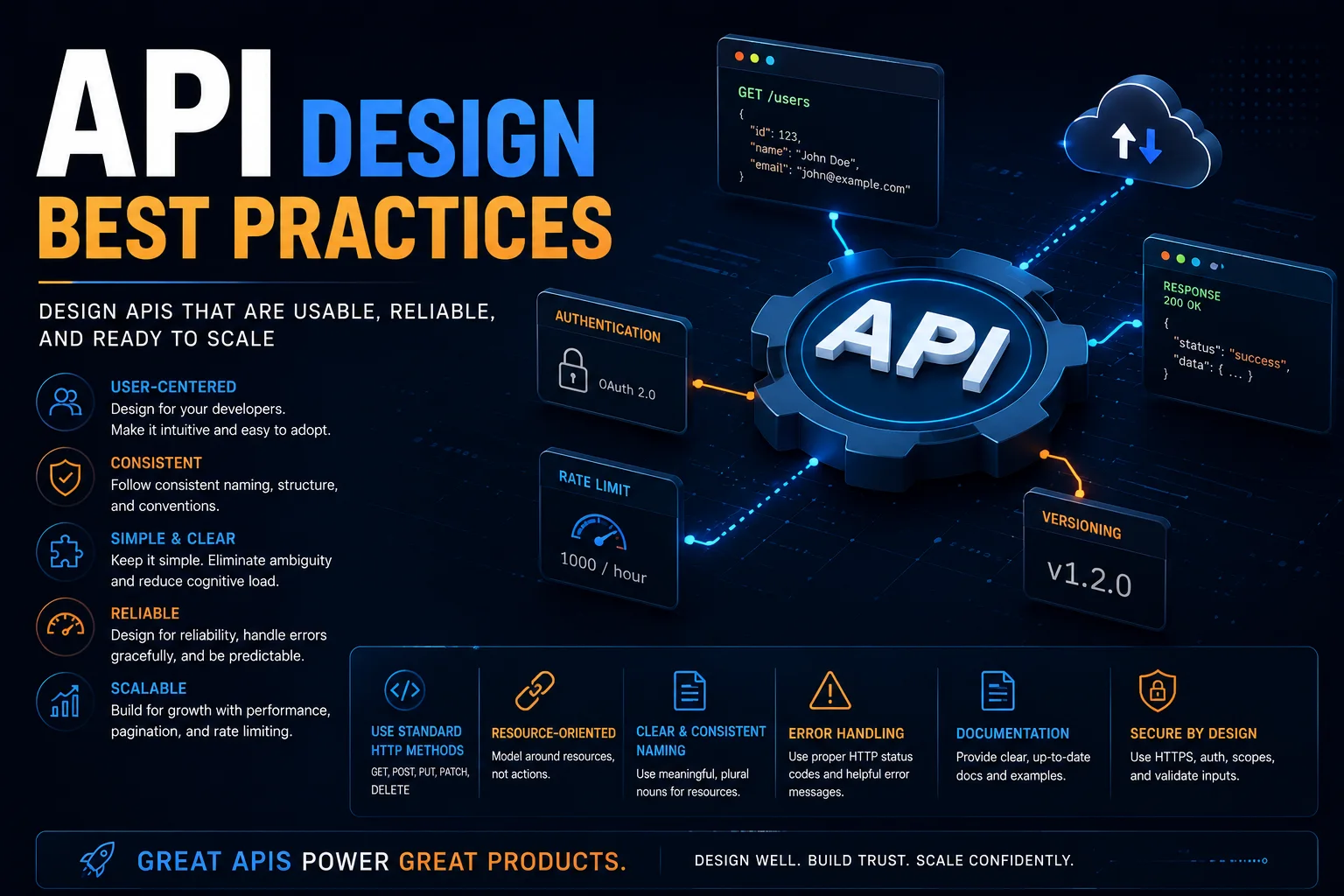
An API (Application Programming Interface) is a contract between a service provider and its consumers. A well-designed API is intuitive, consistent, and easy to use. A poorly designed API leads to frustrated developers, increased support burden, security vulnerabilities, and costly breaking changes.
Introduction
An API (Application Programming Interface) is a contract between a service provider and its consumers. A well-designed API is intuitive, consistent, and easy to use. A poorly designed API leads to frustrated developers, increased support burden, security vulnerabilities, and costly breaking changes.
APIs are products — design them with the same care as user interfaces. Whether you are building REST, GraphQL, or gRPC, the principles of good API design remain consistent.
RESTful API Design Principles
1. Use Nouns for Resources
Resources are the core entities in your system. Name them with nouns, not verbs:
✅ GET /users              — List users
✅ GET /users/123          — Get user by ID
✅ POST /users             — Create user
✅ PATCH /users/123        — Partially update user
✅ PUT /users/123          — Replace user
✅ DELETE /users/123       — Delete user

❌ GET /getUser            — Verb in URL
❌ POST /createUser        — Verb in URL
❌ POST /users/create      — Verb in URL path
❌ GET /users?action=delete — Action as query parameter
2. Use Proper HTTP Methods
| Method | Purpose | Idempotent | Safe | Body |
|---|---|---|---|---|
| GET | Retrieve a resource | Yes | Yes | No |
| POST | Create a resource | No | No | Yes |
| PUT | Full replacement | Yes | No | Yes |
| PATCH | Partial update | No | No | Yes |
| DELETE | Remove a resource | Yes | No | Optional |
Idempotent: Multiple identical requests produce the same result as a single request.
Safe: No side effects — can be cached and repeated safely.
3. Consistent Naming Conventions
naming_rules:
  - "Use plural nouns: /users, /orders, /products"
  - "Use kebab-case for multi-word: /order-items, /shipping-addresses"
  - "Use lowercase throughout"
  - "Nest resources logically: /users/123/orders"
  - "Avoid deep nesting (max 2-3 levels)"
  - "Use query parameters for filtering, sorting, pagination"
Nesting example:
/users/123/orders            — Orders belonging to user 123
/users/123/orders/456       — Specific order
/users/123/orders/456/items — Items in that order (okay)
/users/123/orders/456/items/789/details (too deep!)
4. Version Your API
Breaking changes should increment the version:
URI versioning (most common):
https://api.example.com/v1/users
https://api.example.com/v2/users
Header versioning:
Accept: application/vnd.example.v1+json
Never break backward compatibility within the same version unless:
- There is a critical security vulnerability.
- You have a deprecation policy and have communicated it.
- The affected users are internal only.
5. Use Meaningful HTTP Status Codes
2xx Success:
  200 OK: Generic success (GET, PATCH)
  201 Created: Resource created (POST)
  204 No Content: Success, no response body (DELETE)

3xx Redirection:
  301 Moved Permanently
  304 Not Modified (caching)

4xx Client Error:
  400 Bad Request: Malformed request, validation error
  401 Unauthorized: Missing or invalid authentication
  403 Forbidden: Authenticated but not authorized
  404 Not Found: Resource does not exist
  405 Method Not Allowed: Wrong HTTP method
  409 Conflict: Resource state conflict (duplicate, version mismatch)
  422 Unprocessable Entity: Semantic validation failure
  429 Too Many Requests: Rate limit exceeded

5xx Server Error:
  500 Internal Server Error: Unexpected server failure
  502 Bad Gateway: Upstream service failed
  503 Service Unavailable: Temporary overload/maintenance
  504 Gateway Timeout: Upstream service timed out
Request and Response Design
Consistent Response Envelope
{
  "data": {
    "id": "user_123",
    "email": "john@example.com",
    "name": "John Doe",
    "created_at": "2024-01-15T10:30:00Z"
  },
  "meta": {
    "request_id": "req_abc123",
    "timestamp": "2024-01-15T10:30:00Z"
  }
}
Error Responses
{
  "error": {
    "code": "VALIDATION_ERROR",
    "message": "The request body contains validation errors",
    "details": [
      {
        "field": "email",
        "message": "Email is required",
        "code": "REQUIRED_FIELD"
      },
      {
        "field": "age",
        "message": "Age must be between 18 and 120",
        "code": "INVALID_VALUE",
        "constraints": {
          "minimum": 18,
          "maximum": 120
        }
      }
    ]
  }
}
Pagination
GET /users?page=2&per_page=20&sort=created_at:desc

{
  "data": [ ... ],
  "meta": {
    "page": 2,
    "per_page": 20,
    "total": 100,
    "total_pages": 5,
    "count": 20
  },
  "links": {
    "first": "/users?page=1&per_page=20",
    "prev": "/users?page=1&per_page=20",
    "next": "/users?page=3&per_page=20",
    "last": "/users?page=5&per_page=20"
  }
}
Cursor-based pagination (recommended for large datasets):
GET /users?cursor=eyJpZCI6IDUwMH0=&limit=20

{
  "data": [ ... ],
  "meta": {
    "next_cursor": "eyJpZCI6IDUyMH0=",
    "has_more": true
  }
}
Filtering, Sorting, and Searching
// Filtering
GET /users?role=admin&status=active
GET /orders?created_at[gte]=2024-01-01&total[gt]=100

// Sorting
GET /users?sort=name:asc,created_at:desc

// Searching
GET /users?search=john

// Field selection (sparse fields)
GET /users/123?fields=id,name,email
Partial Updates (PATCH vs. PUT)
// PUT — Full replacement (requires all fields)
PUT /users/123
{
  "email": "newemail@example.com",
  "name": "John Updated",
  "age": 31
}

// PATCH — Partial update (only send changed fields)
PATCH /users/123
{
  "email": "newemail@example.com"
}
Security Best Practices
Authentication
Recommended: OAuth 2.0 + OpenID Connect
POST /oauth/token
Content-Type: application/json

{
  "grant_type": "client_credentials",
  "client_id": "your_client_id",
  "client_secret": "your_client_secret",
  "scope": "read write"
}

Response:
{
  "access_token": "eyJhbGciOi...",
  "token_type": "Bearer",
  "expires_in": 3600,
  "scope": "read write"
}
GET /api/users
Authorization: Bearer eyJhbGciOi...
JWT Structure
// Header
{
  "alg": "RS256",
  "typ": "JWT"
}

// Payload
{
  "sub": "user_123",
  "iss": "auth.example.com",
  "iat": 1705312200,
  "exp": 1705315800,
  "scope": "read:users write:users",
  "roles": ["admin"]
}
Rate Limiting
HTTP/1.1 200 OK
X-RateLimit-Limit: 100
X-RateLimit-Remaining: 87
X-RateLimit-Reset: 1705315800
HTTP/1.1 429 Too Many Requests
Retry-After: 3600
Content-Type: application/json

{
  "error": {
    "code": "RATE_LIMIT_EXCEEDED",
    "message": "Rate limit exceeded. Try again in 3600 seconds.",
    "retry_after": 3600
  }
}
Input Validation
// Zod validation schema for API input
import { z } from 'zod';

const createUserSchema = z.object({
  email: z.string().email('Invalid email format'),
  name: z.string().min(1, 'Name is required').max(100),
  age: z.number().int().min(18).max(120).optional(),
  role: z.enum(['user', 'admin', 'moderator']).default('user'),
  tags: z.array(z.string()).max(10).optional(),
});

// Validation middleware
function validate(schema: ZodSchema) {
  return (req, res, next) => {
    const result = schema.safeParse(req.body);
    if (!result.success) {
      return res.status(422).json({
        error: {
          code: 'VALIDATION_ERROR',
          message: 'Validation failed',
          details: result.error.issues.map(i => ({
            field: i.path.join('.'),
            message: i.message
          }))
        }
      });
    }
    req.validatedBody = result.data;
    next();
  };
}
HTTPS and CORS
// CORS configuration
const corsOptions = {
  origin: [
    'https://app.example.com',
    'https://admin.example.com',
  ],
  methods: ['GET', 'POST', 'PATCH', 'DELETE'],
  allowedHeaders: ['Content-Type', 'Authorization'],
  exposedHeaders: ['X-RateLimit-Remaining'],
  credentials: true,
  maxAge: 86400  // Preflight cache (24 hours)
};
app.use(cors(corsOptions));
API Documentation
OpenAPI 3.0 Specification
openapi: 3.0.3
info:
  title: User Management API
  version: 2.0.0
  description: API for managing users in the system
  contact:
    email: api-support@example.com

servers:
  - url: https://api.example.com/v2
    description: Production server

paths:
  /users:
    get:
      summary: List all users
      parameters:
        - name: page
          in: query
          schema:
            type: integer
            default: 1
        - name: per_page
          in: query
          schema:
            type: integer
            default: 20
            maximum: 100
      responses:
        '200':
          description: A list of users
          content:
            application/json:
              schema:
                type: object
                properties:
                  data:
                    type: array
                    items:
                      $ref: '#/components/schemas/User'
                  meta:
                    $ref: '#/components/schemas/PaginationMeta'

    post:
      summary: Create a new user
      requestBody:
        required: true
        content:
          application/json:
            schema:
              $ref: '#/components/schemas/CreateUserRequest'
      responses:
        '201':
          description: User created
          content:
            application/json:
              schema:
                $ref: '#/components/schemas/User'
        '422':
          description: Validation error

components:
  schemas:
    User:
      type: object
      properties:
        id:
          type: string
        email:
          type: string
          format: email
        name:
          type: string
        created_at:
          type: string
          format: date-time
Interactive Documentation
# Serve Swagger UI for API documentation
npm install -g swagger-ui-express
# Visit: https://api.example.com/docs
API Testing
Contract Testing
// Pact consumer-driven contract test
const { Pact } = require('@pact-foundation/pact');

describe('User API contract', () => {
  const provider = new Pact({
    consumer: 'Frontend App',
    provider: 'User Service',
    port: 1234,
  });

  beforeAll(() => provider.setup());

  describe('GET /users/123', () => {
    beforeAll(() => {
      return provider.addInteraction({
        state: 'User 123 exists',
        uponReceiving: 'a request for user 123',
        withRequest: {
          method: 'GET',
          path: '/users/123',
          headers: { Authorization: 'Bearer valid-token' }
        },
        willRespondWith: {
          status: 200,
          headers: { 'Content-Type': 'application/json' },
          body: {
            data: {
              id: '123',
              email: 'user@example.com',
              name: 'Test User'
            }
          }
        }
      });
    });

    it('returns the user', async () => {
      const response = await fetch('http://localhost:1234/users/123', {
        headers: { Authorization: 'Bearer valid-token' }
      });
      expect(response.status).toBe(200);
    });

    afterEach(() => provider.verify());
  });

  afterAll(() => provider.finalize());
});
GraphQL vs. REST
| Aspect | REST | GraphQL |
|---|---|---|
| Data fetching | Multiple endpoints, fixed response | Single endpoint, client-defined |
| Over-fetching | May return more data than needed | Request exactly what you need |
| Under-fetching | May need multiple requests (N+1) | Single request for nested data |
| Caching | Built-in (HTTP caching, CDN) | Custom (Apollo cache, Relay) |
| Tooling | Mature (curl, Postman, browsers) | Growing (GraphiQL, Apollo DevTools) |
| Learning curve | Low | Medium |
| Versioning | URI versioning | Add fields, deprecate old ones |
| File upload | Native (multipart) | Requires special handling |
| Real-time | WebSocket, SSE | Subscriptions |
When to Use GraphQL
- Complex, nested data requirements (dashboards, mobile apps).
- Multiple client types (web, mobile, IoT) needing different data.
- Rapidly evolving frontend requirements.
When to Use REST
- Simple CRUD operations.
- Public APIs with broad consumer base.
- Caching is important (CDN for GET endpoints).
- File uploads and binary data.
API Lifecycle Management
Versioning Strategy
version_policy:
  - v1: Initial release (stable, deprecated)
  - v2: Current version (active development)
  - v3: Planned (future)

deprecation:
  notice_period: 6 months
  communication: email, API response header
  sunset_header: true  # Deprecation: true

transition:
  new_features: v2 only
  bug fixes: v1 critical only
  migrations: provide migration guide
Deprecation Headers
GET /v1/users/123
Sunset: Sat, 30 Nov 2024 00:00:00 GMT
Deprecation: true
Link: </v2/users/123>; rel="successor-version"
Conclusion
Good API design follows these principles:
- Consistency — Naming, error formats, pagination, and authentication should follow the same patterns.
- Developer experience — Clear documentation, predictable behavior, helpful error messages.
- Security by default — HTTPS, authentication, rate limiting, input validation, CORS.
- Backward compatibility — Version consciously, deprecate gracefully, communicate breaking changes.
- Performance — Pagination, caching headers, sparse fields, compression.
An API is a product. Invest in its design, document it thoroughly, version it carefully, and treat every breaking change with the gravity it deserves.
Featured Articles

The 10 Largest Frontend Performance Challenges in 2026 (And How to Fix Them)

Should I Use React or Next.js? Complete Comparison Guide 2026

Build an Offline-First SaaS with Laravel & React: Complete PWA Tutorial 2026
Comments
0 commentsNo approved comments are visible yet. New community replies may wait for moderation.