AI-Powered Databases: Autonomous and Intelligent Data Management
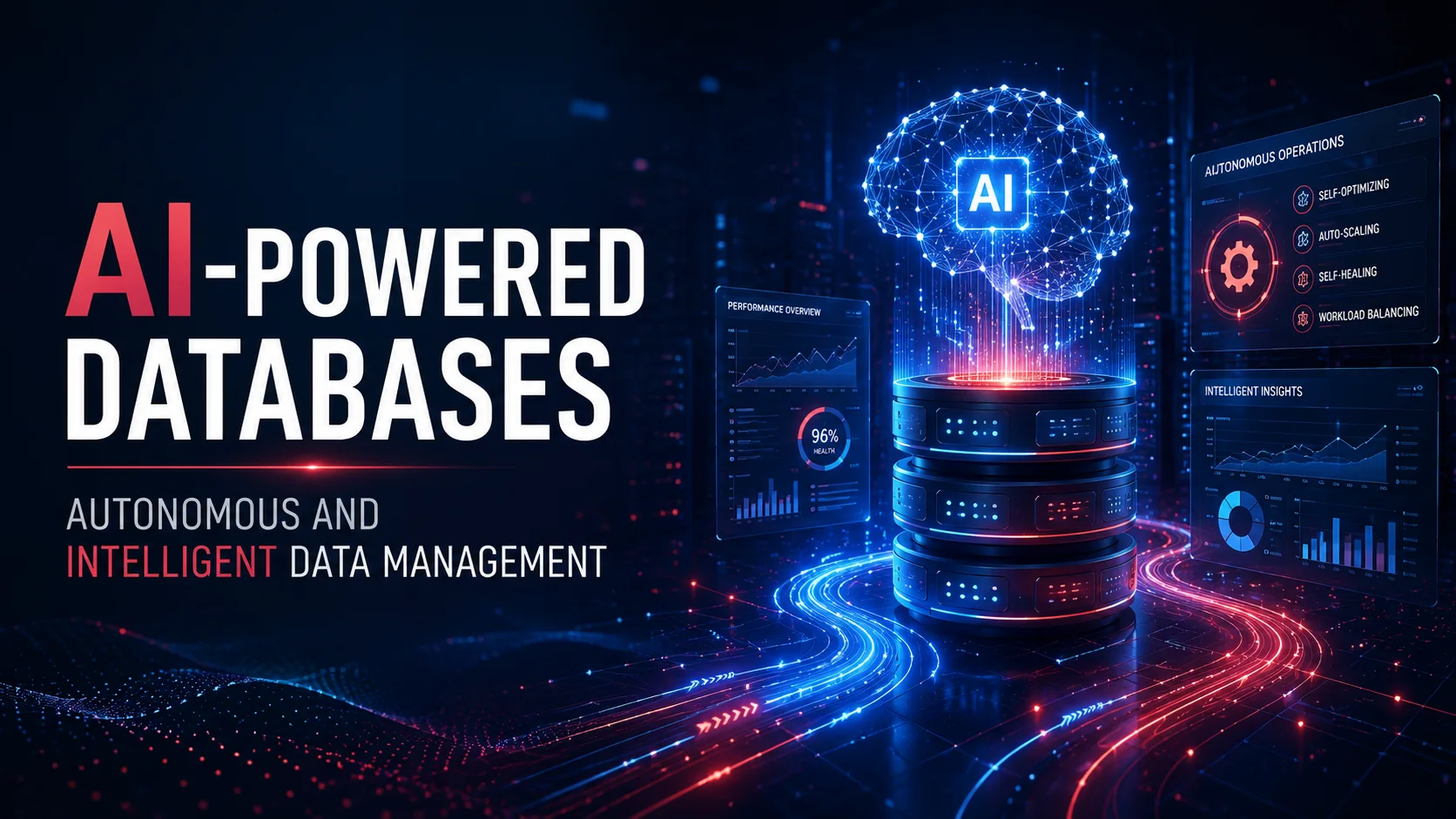
Databases are undergoing a fundamental transformation driven by artificial intelligence. Just as AI is reshaping software development, it is also revolutionizing how databases are designed, operated, and queried. This encompasses three major areas:
Introduction
Databases are undergoing a fundamental transformation driven by artificial intelligence. Just as AI is reshaping software development, it is also revolutionizing how databases are designed, operated, and queried. This encompasses three major areas:
- AI for Database Management — Autonomous databases that self-tune, self-heal, and self-optimize.
- AI Inside the Database — Native support for vector search, embeddings, and ML inference.
- Database for AI — Specialized databases built for AI workloads (feature stores, vector DBs, ML metadata stores).
This article explores how AI and databases are converging into a unified intelligent data platform.
1. Autonomous Databases: AI for Database Operations
What Is an Autonomous Database?
An autonomous database uses AI and machine learning to automate routine DBA tasks — provisioning, tuning, patching, backup, scaling, and troubleshooting. Oracle pioneered this with its Autonomous Database, and every major vendor has followed.
| Task | Traditional DBA | Autonomous Database |
|---|---|---|
| Index management | Manual analysis, CREATE INDEX | Automatic index creation based on query patterns |
| Query optimization | Analyze EXPLAIN plans, hints | AI predicts optimal join orders, indexes |
| Memory tuning | Adjust shared_buffers, work_mem | Dynamic memory allocation per workload |
| Storage scaling | Add disks, repartition | Automatic shard rebalancing |
| Patching | Schedule maintenance windows | Rolling upgrades, zero downtime |
| Backup/recovery | Configure cron, verify backups | Continuous backup, instant restore |
| Anomaly detection | Query performance dashboards | AI detects slow queries, predicts failures |
| Security | Manual audit rule creation | AI detects anomalous access patterns |
Oracle Autonomous Database
-- Oracle Autonomous Database — self-tuning SQL
SELECT /*+ MONITOR */
       o.customer_id, SUM(o.total) as revenue
FROM orders o
WHERE o.created_at > SYSDATE - 30
GROUP BY o.customer_id
HAVING SUM(o.total) > 1000;

-- Behind the scenes, the autonomous engine:
-- 1. Creates partial indexes if beneficial
-- 2. Adjusts parallel execution degree automatically
-- 3. Caches frequently accessed data
-- 4. Compresses data based on access patterns
-- 5. Monitors for SQL injection attempts
Automatic Indexing
AI-powered automatic index management:
-- Oracle: automatic indexing report
SELECT
    dbms_auto_index.report_last_activity() as report
FROM dual;

-- Sample output:
-- Recommended: idx_orders_customer_date ON orders(customer_id, created_at)
-- Estimated benefit: 85% reduction in query time
-- Action: Created (validated, then made visible)
-- Rejected: idx_orders_total ON orders(total) — never used
SQL Query Performance Prediction
class QueryPerformancePredictor:
    """AI model that predicts query runtime before execution"""

    def __init__(self):
        self.model = load_model('query_predictor_v2.pkl')
        self.features = [
            'table_scan_type',      # sequential, index, bitmap
            'join_count',           # number of JOINs
            'join_type',            # hash, nested loop, merge
            'filter_selectivity',   # estimated filter fraction
            'sort_required',
            'group_by_columns',
            'result_rows_estimate',
            'concurrent_queries',
            'buffer_cache_hit_ratio',
        ]

    def predict_runtime(self, query_plan: dict) -> float:
        features = self.extract_features(query_plan)
        predicted_ms = self.model.predict([features])[0]
        confidence = self.model.predict_proba([features]).max()

        if predicted_ms > 5000:
            alert_team(f"Slow query predicted ({predicted_ms:.0f}ms, "
                       f"confidence: {confidence:.1%})")
            return self.suggest_optimization(query_plan)

        return predicted_ms
2. AI Inside the Database: Native AI Capabilities
Vector Search in SQL Databases
Modern databases now embed vector search natively:
PostgreSQL with pgvector:
CREATE EXTENSION vector;

-- Create table with vector column
CREATE TABLE documents (
    id UUID PRIMARY KEY,
    title TEXT,
    content TEXT,
    embedding vector(1536)  -- OpenAI embedding dimension
);

-- Create IVFFlat index for fast ANN search
CREATE INDEX ON documents
  USING ivfflat (embedding vector_cosine_ops)
  WITH (lists = 100);

-- Create HNSW index (pgvector 0.7+)
CREATE INDEX ON documents
  USING hnsw (embedding vector_cosine_ops);

-- Semantic search query
SELECT title, content,
       1 - (embedding <=> $1) as similarity
FROM documents
ORDER BY embedding <=> $1  -- Cosine distance
LIMIT 10;
SQL Server — Vector support:
-- SQL Server 2026+ vector support
CREATE TABLE documents (
    id INT PRIMARY KEY,
    content NVARCHAR(MAX),
    embedding VECTOR(1536)
);

-- Create vector index
CREATE VECTOR INDEX idx_doc_embeddings
  ON documents (embedding)
  WITH (DISTANCE = COSINE, ALGORITHM = HNSW);

-- Semantic search
SELECT id, content,
       VECTOR_DISTANCE(embedding, @query_vector) as distance
FROM documents
ORDER BY VECTOR_DISTANCE(embedding, @query_vector)
OFFSET 0 ROWS FETCH NEXT 10 ROWS ONLY;
SQL + Vector Hybrid Search
Combine traditional SQL filters with semantic search:
-- Hybrid: filter by category, search by meaning
SELECT d.title, d.content,
       1 - (d.embedding <=> $query_embedding) as relevance
FROM documents d
JOIN document_categories c ON d.category_id = c.id
WHERE c.name IN ('Engineering', 'Product')
  AND d.created_at > '2025-01-01'
  AND d.status = 'published'
ORDER BY relevance DESC
LIMIT 20;
ML Inference Inside the Database
Run ML models directly within the database engine:
PostgreSQL with ONNX runtime:
-- Load a trained model into PostgreSQL
CREATE MODEL churn_predictor
FROM 's3://models/churn/v3/churn.onnx'
WITH (task = 'classification',
      labels = '{not_churned, churned}');

-- Run inference in SQL
SELECT customer_id,
       name,
       predict(churn_predictor,
               ARRAY[age, tenure, total_orders, avg_order_value, support_tickets]
       ) as churn_probability
FROM customers
WHERE last_login > NOW() - INTERVAL '30 days'
ORDER BY churn_probability DESC
LIMIT 100;
BigQuery ML:
-- Train a model directly on your data
CREATE OR REPLACE MODEL `project.dataset.churn_model`
OPTIONS (
  model_type='LOGISTIC_REG',
  input_label_cols=['churned'],
  regularization=0.01
) AS
SELECT
  age, tenure, total_orders,
  avg_order_value, support_tickets,
  churned
FROM `project.dataset.training_data`;

-- Use the model for predictions
SELECT
  customer_id,
  predicted_churned_probs[OFFSET(1)] as churn_risk
FROM ML.PREDICT(
  MODEL `project.dataset.churn_model`,
  (SELECT * FROM `project.dataset.customers_to_score`)
)
WHERE predicted_churned_probs[OFFSET(1)] > 0.7;
Natural Language to SQL (NL2SQL)
Talk to your database in natural language:
-- What AI translates your question to:
-- User: "Show me the top 5 customers by revenue this month"

SELECT c.name,
       SUM(o.total) as revenue
FROM customers c
JOIN orders o ON c.id = o.customer_id
WHERE DATE_TRUNC('month', o.created_at) = DATE_TRUNC('month', CURRENT_DATE)
GROUP BY c.id, c.name
ORDER BY revenue DESC
LIMIT 5;

-- User: "Which products have not sold in the last 90 days?"
SELECT p.name, p.sku,
       p.quantity_in_stock,
       MAX(o.created_at) as last_sold
FROM products p
LEFT JOIN order_items oi ON p.id = oi.product_id
LEFT JOIN orders o ON oi.order_id = o.id
GROUP BY p.id, p.name, p.sku, p.quantity_in_stock
HAVING MAX(o.created_at) IS NULL
    OR MAX(o.created_at) < CURRENT_DATE - INTERVAL '90 days'
ORDER BY p.name;
3. AI Database Infrastructure
Feature Store
A feature store is a centralized repository for ML features that bridges data engineering and MLOps:
┌──────────┐   ┌──────────┐   ┌──────────┐
│ Raw Data │   │ Feature  │   │ ML Model │
│ (OLTP)   │──▶│ Store    │──▶│ Training │
└──────────┘   └──────────┘   └──────────┘
                    │
                    ├─► Online serving (Redis)
                    ├─► Offline training (Parquet)
                    └─► Point-in-time joins (Spark)
Feast Feature Store:
from feast import FeatureView, Entity, Field
from feast.types import Float32, Int32

# Define features
customer_features = FeatureView(
    name="customer_features",
    entities=["customer_id"],
    ttl=timedelta(days=30),
    schema=[
        Field(name="total_orders", dtype=Int32),
        Field(name="lifetime_value", dtype=Float32),
        Field(name="days_since_last_order", dtype=Int32),
        Field(name="avg_order_value", dtype=Float32),
    ],
    source=BigQuerySource(
        query="SELECT * FROM analytics.customer_features"
    ),
)

# Retrieve features for training
training_df = store.get_historical_features(
    entity_df=entity_df,
    features=[
        "customer_features:total_orders",
        "customer_features:lifetime_value",
        "customer_features:days_since_last_order",
    ]
).to_df()

# Retrieve features for online inference
feature_vector = store.get_online_features(
    features=[
        "customer_features:total_orders",
        "customer_features:lifetime_value",
    ],
    entity_rows=[{"customer_id": customer_id}]
).to_dict()
ML Metadata Store (MLMD)
Track ML experiments and artifacts:
# MLMD — ML Metadata
pipeline:
  - pipeline_name: "churn_prediction"
    run_id: "run_2026_05_24_001"

    steps:
      - step_name: "data_extraction"
        artifacts:
          - type: "dataset"
            uri: "s3://data/raw/orders_2026_05.parquet"
            size: "2.3 GB"

      - step_name: "feature_engineering"
        artifacts:
          - type: "feature_set"
            uri: "s3://features/churn_v3/train.parquet"
            columns: 24
            rows: 500000

      - step_name: "training"
        parameters:
          model_type: "XGBoost"
          n_estimators: 500
          learning_rate: 0.05
          max_depth: 8
        metrics:
          f1_score: 0.87
          accuracy: 0.91
          auc_roc: 0.94
        artifacts:
          - type: "model"
            uri: "s3://models/churn/v3/model.pkl"
            format: "pickle"
Model Registry
# MLflow model registry — version and stage management
from mlflow.tracking import MlflowClient

client = MlflowClient()

# Register model version
client.create_model_version(
    name="churn_predictor",
    source="runs:/abc123/model",
    run_id="abc123",
    description="XGBoost with engineered features v3"
)

# Promote to production
client.transition_model_version_stage(
    name="churn_predictor",
    version=3,
    stage="Production"
)

# Stage = "Staging" | "Production" | "Archived"
4. AI for Query Optimization
Learned Index Structures
Traditional indexes (B-Tree, LSM) are replaced by learned models that predict data location:
Learned Index:
  Input: search key (e.g., "Alice")
  Model: neural network → predicts page location
  Output: "Page 42, offset 128"

Instead of: B-Tree traversal (O(log N))
AI does: Single model inference (O(1))
Performance comparison:
| Index Type | Lookup Time | Memory | Build Time |
|---|---|---|---|
| B-Tree | O(log N) ~50ns | 1x | 1x |
| Learned (RMI) | O(1) ~10ns | 0.5-2x | 2-10x |
| Hash | O(1) ~20ns | 1.5x | 1x |
Cardinality Estimation
AI predicts the number of rows a query will return — critical for query plan optimization:
-- PostgreSQL classic (statistics-based)
EXPLAIN SELECT * FROM orders WHERE status = 'shipped';
-- Estimated: 50,000 rows  (often wrong)
-- Actual:    125,000 rows

-- AI-enhanced estimation:
-- Model considers: column correlations, data drift, join patterns
-- Estimated: 127,000 rows  (within 2% accuracy)
| Estimator | Accuracy (average error) | Query Planning Improvement |
|---|---|---|
| Traditional (histograms) | 40-200% | Baseline |
| Sampling-based | 10-50% | +15% |
| ML-based (XGBoost, NN) | 5-15% | +30% |
| Deep learning (query graph) | 3-8% | +40% |
5. Database of the Future: The Intelligent Data Platform
The Converged Database
┌─────────────────────────────────────────────────────┐
│               Intelligent Data Platform             │
├────────────┬───────────┬──────────┬──────────┬──────┤
│  Relational│ Document  │ Graph    │ Vector   │ Time │
│  Tables    │ (JSON)    │ (Nodes)  │ (EMBED)  │Series│
├────────────┴───────────┴──────────┴──────────┴──────┤
│              AI-Powered Query Engine                 │
│  ┌──────────────────────────────────────────────┐   │
│  │  Learned Indexes  │  AI Cardinality Est.    │   │
│  │  Auto Tuning      │  Query Pattern Analysis │   │
│  │  Auto Indexing    │  Anomaly Detection      │   │
│  └──────────────────────────────────────────────┘   │
├─────────────────────────────────────────────────────┤
│              ML Execution Engine                      │
│  │  Model Inference │ Embedding Gen. │ NL2SQL       │
├─────────────────────────────────────────────────────┤
│              Storage Layer                            │
│  │ Row Store │ Column Store │ Blob │ Vector Index   │
└─────────────────────────────────────────────────────┘
What This Means for Developers
| Today | Tomorrow |
|---|---|
| Separate DB + ML system | Unified query: SQL + vectors + ML |
| Manual index tuning | Automatic index creation/deletion |
| Query tuning by experts | AI-optimized query plans |
| Separate feature engineering | Built-in feature computation |
| Write ETL pipelines | Declarative data transformation |
| Batch model inference | Real-time, in-database inference |
Getting Started with AI-Powered Databases
Practical Steps
- If using PostgreSQL: Install
pgvectorfor vector search,pg_onnxfor in-database ML. - If using Oracle: Enable Autonomous Database options — automatic indexing, SQL tuning.
- If on cloud (BigQuery, Redshift): Use built-in ML capabilities (BigQuery ML, Redshift ML).
- For new projects: Consider databases with native AI support (SingleStore, Databricks).
Example: Building an AI-Enhanced Application
-- Step 1: Create table with vector + text + structured columns
CREATE TABLE products (
    id UUID PRIMARY KEY,
    name TEXT,
    description TEXT,
    price NUMERIC(10,2),
    category TEXT,
    embedding vector(1536),
    -- AI-generated embedding stored here
    created_at TIMESTAMPTZ DEFAULT NOW()
);

-- Step 2: AI creates embeddings automatically (trigger)
CREATE OR REPLACE FUNCTION update_embedding()
RETURNS TRIGGER AS $$
BEGIN
    NEW.embedding := ai_embedding(
        CONCAT(NEW.name, ': ', NEW.description),
        model => 'text-embedding-3-small'
    );
    RETURN NEW;
END;
$$ LANGUAGE plpgsql;

CREATE TRIGGER auto_embed_products
    BEFORE INSERT OR UPDATE OF name, description
    ON products
    FOR EACH ROW
    EXECUTE FUNCTION update_embedding();

-- Step 3: Query with AI
-- "Find affordable wireless headphones similar to AirPods"
SELECT name, price,
       1 - (embedding <=> $query_embedding) as similarity
FROM products
WHERE price < 200
  AND category = 'Electronics'
ORDER BY similarity DESC
LIMIT 10;
Conclusion
The boundary between databases and AI is dissolving. Modern databases are becoming intelligent platforms that:
- Manage themselves — Autonomous operations, self-tuning, self-healing.
- Understand data semantically — Vector search, embeddings, semantic SQL.
- Run ML natively — In-database inference, feature computation, model training.
- Optimize themselves — Learned indexes, AI cardinality estimation, Auto-Vacuum tuning.
- Support AI workflows — Feature stores, ML metadata, experiment tracking.
Key Takeaways
- AI-powered databases are not science fiction — PostgreSQL, Oracle, SQL Server, BigQuery all have AI capabilities today.
- Vector search is becoming a standard database feature — like secondary indexes were in the 1990s.
- Autonomous operations reduce DBA workload — but human oversight is still essential.
- In-database ML eliminates data movement — train and run models where data lives.
- Start with one capability — add vector search first, then explore auto-tuning and in-database ML.
The database of the future is autonomous, intelligent, and AI-native. Developers who adopt these capabilities will build more powerful applications with less operational overhead.
Featured Articles

The 10 Largest Frontend Performance Challenges in 2026 (And How to Fix Them)

Should I Use React or Next.js? Complete Comparison Guide 2026

Build an Offline-First SaaS with Laravel & React: Complete PWA Tutorial 2026
Comments
0 commentsNo approved comments are visible yet. New community replies may wait for moderation.