The Rise of AI-Assisted Development
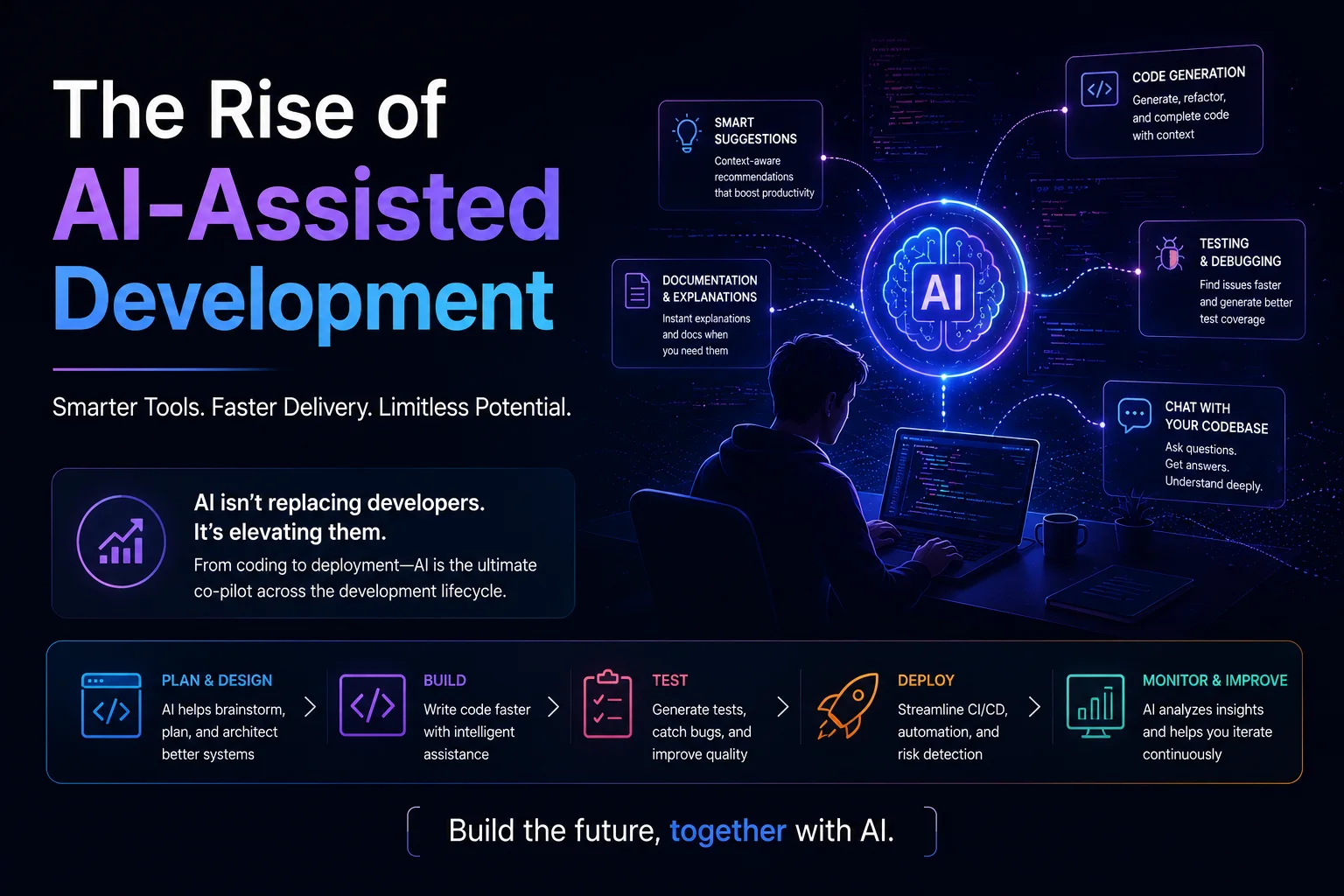
AI-assisted development has fundamentally changed how software is written. In 2026, tools like GitHub Copilot, Cursor, Amazon Q, and Codeium are not experimental — they are essential parts of the developer toolkit. Studies consistently show 30-55% improvement in developer productivity, and the technology is evolving faster than ever.
Introduction
AI-assisted development has fundamentally changed how software is written. In 2026, tools like GitHub Copilot, Cursor, Amazon Q, and Codeium are not experimental — they are essential parts of the developer toolkit. Studies consistently show 30-55% improvement in developer productivity, and the technology is evolving faster than ever.
This article explores how AI assists at every stage of development, the tools available, best practices for leveraging AI effectively, and the challenges developers must navigate.
How AI-Assisted Development Works
The Technology Behind It
Modern code AI tools use Large Language Models (LLMs) trained on billions of lines of public code from GitHub, open-source repositories, and documentation. These models learn:
- Syntax — Valid code structure for dozens of programming languages.
- Patterns — Common algorithms, design patterns, and API usage.
- Context — How different parts of a codebase relate to each other.
- Intent — What a developer is trying to accomplish based on code context, comments, and file names.
The Interaction Model
Developer types code → AI model processes context (file, project, cursor position)
                           ↓
                   Predicts most likely continuation
                           ↓
              Presents suggestion(s) to developer
                           ↓
              Developer accepts, modifies, or rejects
                           ↓
                   (Feedback loop for model)
1. Code Generation and Completion
Inline Completion
The most common AI interaction — suggestions appear as you type:
// Developer writes:
function calculateTax(amount: number, taxRate: number): number {
  // AI suggests:
  if (taxRate < 0 || taxRate > 1) {
    throw new Error('Tax rate must be between 0 and 1');
  }
  const tax = amount * taxRate;
  return Math.round(tax * 100) / 100; // Round to 2 decimal places
}

// Or for a React component:
function UserProfile({ userId }: { userId: string }) {
  // AI suggests full component with:
  // - useState for user data
  // - useEffect to fetch data
  // - Loading, error, and success states
  // - Accessible HTML structure
}
Slash Commands and Chat
/explain
  Explains the selected code in plain language

/fix
  Suggests fixes for bugs or issues in the selected code

/tests
  Generates unit tests for the selected function

/doc
  Generates documentation comments

/optimize
  Suggests performance improvements

/refactor
  Suggests refactoring options
Example — Using Copilot Chat to refactor:
Developer: "/refactor this function to be more performant"

// Before
function findDuplicates(array: number[]): number[] {
  const duplicates: number[] = [];
  for (let i = 0; i < array.length; i++) {
    for (let j = i + 1; j < array.length; j++) {
      if (array[i] === array[j] && !duplicates.includes(array[i])) {
        duplicates.push(array[i]);
      }
    }
  }
  return duplicates;
}

// AI suggests:
function findDuplicates(array: number[]): number[] {
  const seen = new Set<number>();
  const duplicates = new Set<number>();

  for (const num of array) {
    if (seen.has(num)) {
      duplicates.add(num);
    } else {
      seen.add(num);
    }
  }

  return Array.from(duplicates);
}
// Note: Complexity improved from O(n²) to O(n)
2. Automated Code Review
AI-powered code review catches issues before human reviewers see the code:
What AI Reviews Catch
// AI code review comments on a pull request:

// ⚠️ SECURITY: SQL injection vulnerability at line 23
//   Problem: String interpolation in SQL query
//   Fix: Use parameterized queries
app.get('/user', (req, res) => {
  const sql = `SELECT * FROM users WHERE id = '${req.query.id}'`;  // LINE 23
});

// ⚠️ BUG: Potential null reference at line 45
//   Problem: user might be null when accessing user.name
//   Fix: Add null check
const userName = user.name;  // LINE 45

// ⚠️ PERFORMANCE: N+1 query in UserService.getOrders() at line 78
//   Problem: Database queried in a loop
//   Fix: Use eager loading or batch query
for (const id of userIds) {
  const orders = await db.findOrders(id);  // LINE 78
}

// ℹ️ STYLE: Function 'getUserDataAndOrdersAndPermissions' is too long
//   Consider splitting into smaller functions
AI Review vs. Human Review
| Aspect | AI Review | Human Review |
|---|---|---|
| Speed | Seconds | 30 min - 2 hours |
| Consistency | Always runs all rules | Can miss issues when tired |
| Catch rate | 50-70% of issues | 60-80% of issues |
| Best at | Security, bugs, style | Architecture, design, readability |
| False positives | 10-20% | Low |
| Learning | Static (model updates) | Improves with experience |
Best practice: AI reviews first, then human reviews. This catches 90%+ of issues with less human effort.
3. Intelligent Testing
Test Generation
// Given this function:
function validatePassword(password: string): {
  valid: boolean;
  errors: string[];
} {
  const errors: string[] = [];
  if (password.length < 8) errors.push('Must be at least 8 characters');
  if (!/[A-Z]/.test(password)) errors.push('Must contain uppercase letter');
  if (!/[a-z]/.test(password)) errors.push('Must contain lowercase letter');
  if (!/[0-9]/.test(password)) errors.push('Must contain a number');
  return { valid: errors.length === 0, errors };
}

// AI generates:
describe('validatePassword', () => {
  it('rejects password shorter than 8 characters', () => {
    const result = validatePassword('Ab1');
    expect(result.valid).toBe(false);
    expect(result.errors).toContain('Must be at least 8 characters');
  });

  it('rejects password without uppercase', () => {
    const result = validatePassword('abcdefgh1');
    expect(result.valid).toBe(false);
    expect(result.errors).toContain('Must contain uppercase letter');
  });

  it('rejects password without lowercase', () => {
    const result = validatePassword('ABCDEFGH1');
    expect(result.valid).toBe(false);
    expect(result.errors).toContain('Must contain lowercase letter');
  });

  it('rejects password without a number', () => {
    const result = validatePassword('Abcdefgh');
    expect(result.valid).toBe(false);
    expect(result.errors).toContain('Must contain a number');
  });

  it('accepts a valid password', () => {
    const result = validatePassword('Abcdefgh1');
    expect(result.valid).toBe(true);
    expect(result.errors).toEqual([]);
  });

  it('reports multiple errors', () => {
    const result = validatePassword('a');
    expect(result.errors.length).toBeGreaterThanOrEqual(3);
  });
});
Self-Healing Tests
When UI elements change, AI-driven test tools automatically update selectors:
// Before — test fails because button text changed
await page.click('text="Submit Order"');

// AI self-heals to:
await page.click('button[data-testid="submit-order"]');
// Or:    await page.click('button[type="submit"]');
// Or:    await page.click('text="Place Order"');
4. Debugging and Root Cause Analysis
AI-Assisted Debugging
# Developer encounters an error:
# TypeError: unsupported operand type(s) for +: 'int' and 'str'

# AI debugging analysis:
"""
Root cause: Line 12 attempts to add an integer (price) to a string (discount_code)

Code:
  10: total = 0
  11: for item in cart:
  12:     total += item['price'] + item.get('discount', '')

Fix:
  item.get('discount', '') returns an empty string as default
  Change to: item.get('discount', 0) for numeric default

  Or parse the discount:
  discount = float(item.get('discount', '0'))
  total += item['price'] + discount
"""
Crash Analysis from Error Clusters
Error: "Cannot read properties of undefined (reading 'name')"

AI Analysis:
  This error occurs in UserService.getProfile() when:
  1. The API endpoint /api/users/:id is called with an invalid ID
  2. The database returns null (user not found)
  3. Code assumes user is always found:
       const user = await db.findUser(id);
       return user.name;  // ❌ user might be null

  Suggested fix:
       const user = await db.findUser(id);
       if (!user) {
         throw new NotFoundError(`User ${id} not found`);
       }
       return user.name;

  Additional context:
  - 342 occurrences in last 24 hours
  - Affected versions: all (not a regression)
  - Common caller: /api/orders endpoint with deleted users
5. Documentation Generation
API Documentation
// AI generates JSDoc from function signature and body

/**
 * Processes a payment for an order
 *
 * @param orderId - The unique identifier of the order
 * @param paymentMethod - The payment method to use (credit_card, debit_card, paypal)
 * @param amount - The payment amount in the smallest currency unit (cents)
 * @returns A promise that resolves to the payment result
 * @throws {PaymentError} If the payment provider rejects the transaction
 * @throws {ValidationError} If orderId is invalid or amount is negative
 *
 * @example
 * const result = await processPayment('ord_123', 'credit_card', 2999);
 * // result = { success: true, transactionId: 'txn_abc', amount: 2999 }
 *
 * @see {@link refundPayment} for reversing a payment
 * @see {@link OrderService.getOrder} for order details
 */
async function processPayment(
  orderId: string,
  paymentMethod: PaymentMethod,
  amount: number
): Promise<PaymentResult> {
  // Payment processing logic
}
README and Project Documentation
# AI generates README from codebase analysis
$ ai-readme-generator
Analyzing project structure...
Detected: Next.js 14, TypeScript, Prisma, Tailwind CSS

Generated README.md:
  # E-Commerce Platform

  ## Overview
  Full-stack e-commerce application built with Next.js 14,
  featuring product management, shopping cart, payment processing,
  and order management.

  ## Tech Stack
  - **Frontend**: Next.js 14, React 18, Tailwind CSS
  - **Backend**: Next.js API routes
  - **Database**: PostgreSQL with Prisma ORM
  - **Auth**: NextAuth.js with Google OAuth
  - **Payments**: Stripe
  - **Testing**: Jest + Cypress

  ## Getting Started
  [Step-by-step setup instructions...]

  ## Architecture
  [Architecture diagram description...]

  ## API Reference
  [Auto-generated from route handlers...]

  ## Deployment
  [Deployment instructions for Vercel...]
Best Practices for AI-Assisted Development
Dos and Don'ts
| Do | Don't |
|---|---|
| Use AI for boilerplate and repetitive code | Accept AI output without review |
| Write clear comments and function names | Expect AI to read your mind |
| Break code into small, focused functions | Give AI massive, poorly-structured files |
| Review AI suggestions for security issues | Paste sensitive code (API keys, passwords) |
| Use AI to learn new languages/frameworks | Rely on AI to the exclusion of learning |
| Maintain comprehensive tests | Assume AI-generated code is correct |
Prompt Engineering for Code
# Good prompts:
"Write a function that validates a credit card number using the Luhn algorithm"
"Create a React hook that debounces a value with configurable delay"
"Write a TypeScript type that represents a paginated API response"
"Generate a SQL query that finds the top 10 customers by revenue this month"

# Bad prompts:
"Write code" (too vague)
"Fix this" (no context)
"Create something for users" (ambiguous)
"Make it work" (not actionable)
Security Considerations
// AI-generated code that contains security vulnerabilities:

// ❌ SQL Injection
const query = `SELECT * FROM users WHERE email = '${email}'`;

// ❌ Hardcoded Secret
const API_KEY = 'sk-1234567890abcdef';

// ❌ Insecure Random
const token = Math.random().toString(36);  // Not cryptographically secure

// ❌ Cross-Site Scripting
element.innerHTML = userInput;  // XSS vulnerability

// ✅ What to check for in AI-generated code:
// 1. Parameterized queries instead of string interpolation
// 2. No hardcoded secrets or credentials
// 3. Cryptographically secure random functions
// 4. Proper output encoding
// 5. Input validation and sanitization
// 6. Authentication and authorization checks
The Impact on Developer Roles
How the Role Is Evolving
| Traditional Developer | AI-Augmented Developer |
|---|---|
| Writes every line of code | Curates and refines AI output |
| Spends hours debugging | AI narrows down issues in seconds |
| Writes boilerplate by hand | AI generates infrastructure code |
| Reads documentation | Asks AI about API usage |
| Implements from scratch | Modifies AI-generated templates |
| Solo problem-solving | Collaborative human-AI problem-solving |
| Focus on syntax | Focus on architecture and design |
New Skills Developers Need
- Prompt engineering — Ability to describe what you want clearly and precisely.
- AI output evaluation — Recognizing when AI output is wrong or suboptimal.
- Code review at scale — Reviewing AI-generated code efficiently.
- Integration knowledge — Knowing how to combine AI tools into the workflow.
- Critical thinking — Understanding when AI helps and when it hinders.
Limitations and Risks
When AI Gets It Wrong
| Issue | Example | Frequency |
|---|---|---|
| Hallucination | Suggests a library that does not exist: npm install cloudflare-analytics |
5-15% |
| Deprecated APIs | Uses outdated function signatures | 10-20% |
| Security flaws | Generates code with known vulnerabilities | 5-10% |
| Context ignorance | Ignores project conventions and patterns | 20-30% |
| Off-by-one errors | Logic errors in edge cases | 5-10% |
| License violation | Reproduces copyrighted code verbatim | <1% |
Intellectual Property Concerns
| Concern | Risk Level | Mitigation |
|---|---|---|
| AI reproduces copyrighted code | Low | Use enterprise tier (IP indemnification) |
| Your code trains future models | Medium | Opt out in enterprise settings |
| AGPL code contamination | Low | Review AI output against project license |
| Patent infringement | Very low | Standard legal indemnification |
The Future
Near-Term (2026-2028)
- Voice coding — Describe features verbally, AI implements them.
- Autonomous PRs — AI identifies bugs and creates pull requests automatically.
- Multi-agent systems — Specialized agents: frontend agent, backend agent, test agent.
- Context-aware AI — Understands your entire codebase, not just the current file.
Long-Term
- AI as junior developer — Handles routine tasks independently.
- Human as architect — Developers focus on system design and strategy.
- Natural language as code — Increasingly, code is written by describing intent.
- Democratized development — Non-programmers build applications through conversation.
Conclusion
AI-assisted development is not a fad — it is a fundamental shift in how software is created. The developers who thrive will not be those who resist AI, nor those who blindly accept its output, but those who learn to use it as a powerful collaborator.
Key takeaways:
- AI accelerates routine tasks — boilerplate, tests, documentation, debugging.
- AI does not replace understanding — human judgment is essential for architecture, security, and design decisions.
- Start using AI tools today — They are readily available and increasingly affordable.
- Develop a review mindset — Treat AI output as a first draft, not a final product.
- Invest in fundamentals — Strong programming knowledge makes you a better AI collaborator.
The future of development is human-AI collaboration. The best code will be written by developers who combine their expertise with AI's speed and breadth — augmenting their capabilities rather than outsourcing their understanding.
Featured Articles

The 10 Largest Frontend Performance Challenges in 2026 (And How to Fix Them)

Should I Use React or Next.js? Complete Comparison Guide 2026

Build an Offline-First SaaS with Laravel & React: Complete PWA Tutorial 2026
Comments
0 commentsNo approved comments are visible yet. New community replies may wait for moderation.